


Navigating co-parenting is one of the toughest, most important jobs a dad will ever have. Misunderstandings over text, missed appointments, and arguments about expenses can quickly turn a manageable situation into a high-stress conflict zone. Traditional methods like text messages and emails often fail because they lack structure, documentation, and a neutral tone, creating a digital paper trail that’s messy and often inadmissible in legal settings.
This is where dedicated co parenting communication tools come in. They aren't just apps; they are purpose-built systems designed to remove emotion, create clarity, and provide a single source of truth for schedules, expenses, and important conversations. For dads committed to minimizing conflict and focusing on what truly matters, the kids, adopting the right tool is a strategic move that pays dividends in peace of mind and family stability.
This guide breaks down the best options available today, analyzing them from a father's perspective to help you choose the right platform for your unique situation, whether it's amicable, high-conflict, or somewhere in between. We provide a comprehensive resource list with a detailed analysis of each tool, including screenshots and direct links to get you started immediately. We'll examine the features that matter, the real-world costs, and how to implement these systems effectively to build a more stable and predictable co-parenting environment. Forget the guesswork; this is your actionable playbook for finding the best platform for your needs.
1. OurFamilyWizard
OurFamilyWizard (OFW) is a giant in the world of co-parenting communication tools, and for good reason. It’s one of the most established platforms, widely recognized and trusted by family courts across the United States. This court-admissibility is its standout feature, making it a go-to for parents navigating high-conflict separations or those under court order to use a documented communication method. The platform isn’t just a messenger; it’s a comprehensive ecosystem designed to minimize conflict and keep records straight.
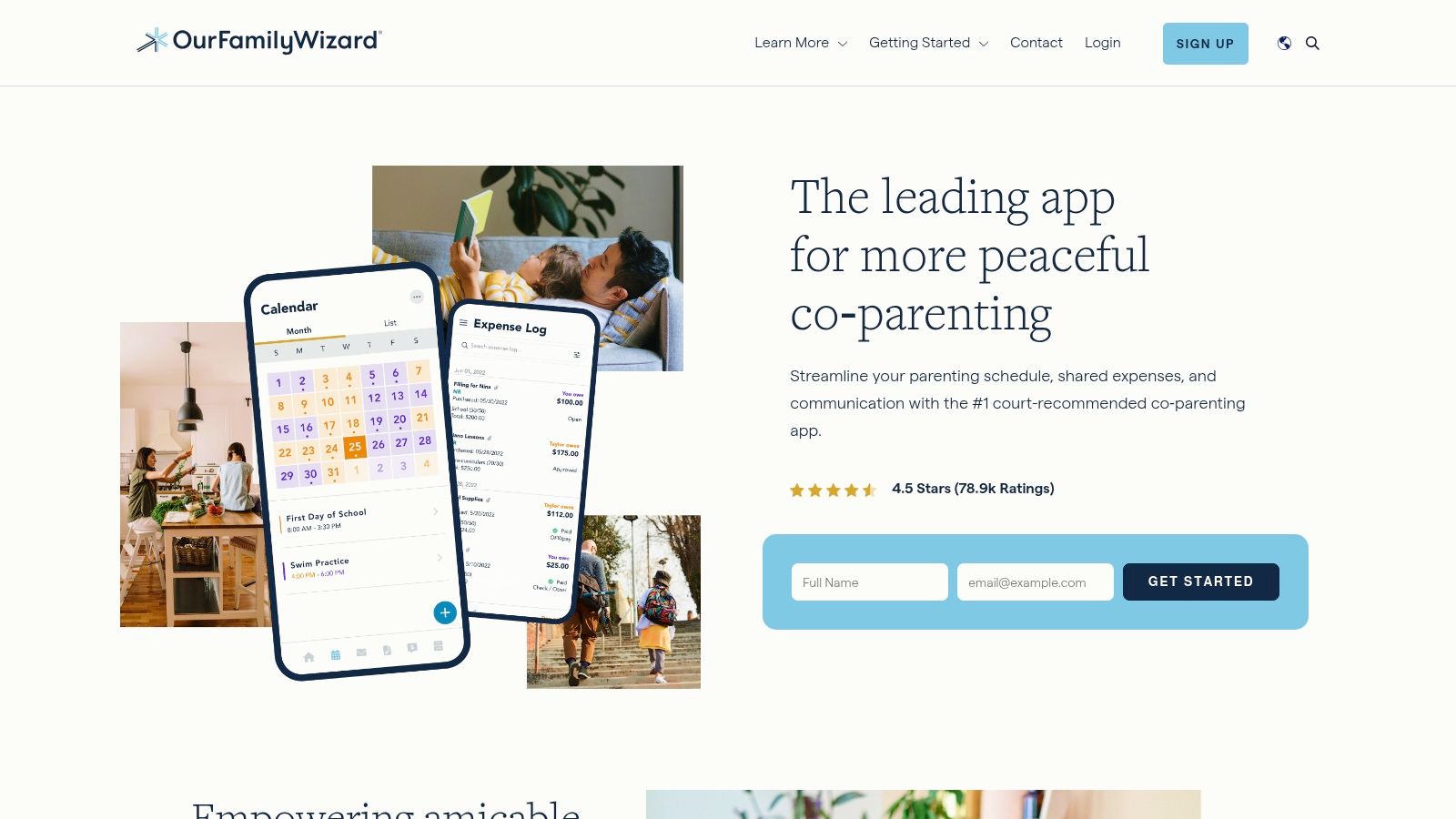
OFW provides a suite of tools that go beyond basic chat. Its immutable, timestamped messaging system ensures every communication is logged and unalterable. For fathers looking to keep discussions productive and emotion-free, the built-in ToneMeter is a unique AI-powered feature that flags potentially inflammatory language before you hit send, offering a moment to reconsider your wording.
Key Features & User Experience
The platform is built around four core pillars: a shared custody calendar, an expense log, a family information bank, and the secure messaging system.
- Secure Messaging: All messages are documented, timestamped, and cannot be edited or deleted, creating a reliable record.
- Shared Calendar: Manage custody schedules, request parenting time trades, and document appointments and activities in one place.
- Expense Tracking: Log shared expenses, upload receipts, and manage reimbursement requests directly through the app with OFWpay.
- Info Bank: Store vital information like medical records, school contacts, and clothing sizes for easy, neutral access.
Pricing & Access
OurFamilyWizard operates on a subscription model, with tiered plans starting around $12 per month, per parent. While not free, the cost covers a robust feature set and the peace of mind that comes with legally admissible records. Professionals like lawyers, mediators, and therapists can be granted access to your account at no extra cost, which is a major benefit for legally complex situations.
| Feature | What It Does | Best For |
|---|---|---|
| ToneMeter™ | Flags emotionally charged language in messages before they are sent. | Preventing misunderstandings and de-escalating potential conflict. |
| Court-Admissible | Provides certified, tamper-proof records that are widely accepted in legal proceedings. | Dads needing an official communication record for court purposes. |
| Professional Access | Allows your legal or mental health team to view communications and schedules. | Cases involving mediators, attorneys, or family therapists. |
Website: https://www.ourfamilywizard.com
2. TalkingParents
TalkingParents positions itself as a complete, court-ready record-keeping service, making it another heavyweight among co-parenting communication tools. Its primary selling point is the creation of an unalterable, certified PDF record of all communications, which is a critical feature for fathers needing irrefutable documentation for legal proceedings. The platform is designed around the concept of accountability, ensuring every interaction, from messages to payments, is tracked and verifiable.
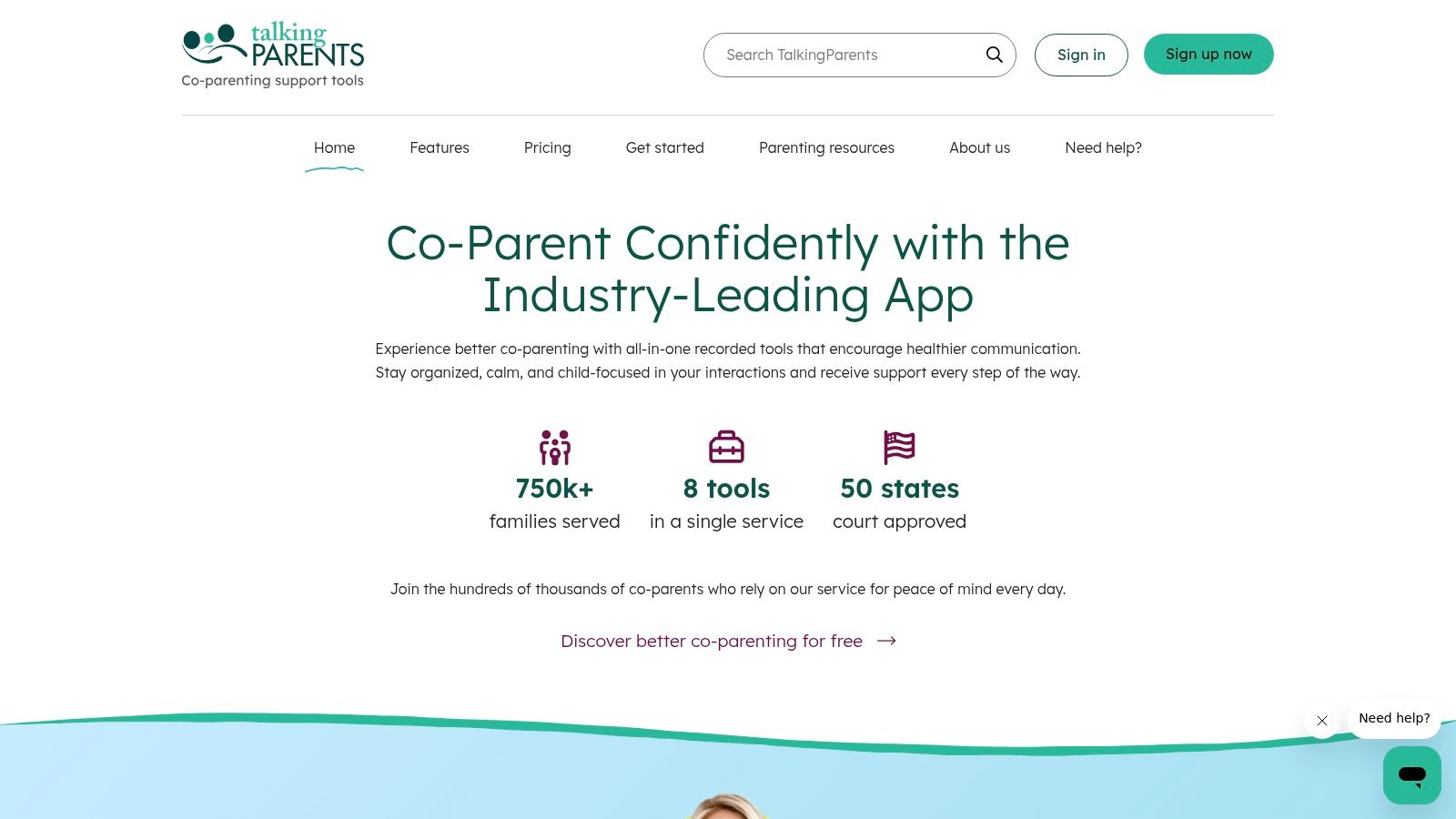
What sets TalkingParents apart is its integrated Accountable Calling feature, which records and transcribes both audio and video calls. This unique tool eliminates "he said, she said" disputes over verbal conversations, a common source of conflict. For dads who need to have difficult discussions, this feature provides a factual backup, promoting a level of emotional intelligence for men by encouraging calm and thoughtful communication.
Key Features & User Experience
The platform consolidates all essential co-parenting tasks into a single, secure environment. Its interface is straightforward, focusing on documentation and ease of use.
- Secure Messaging: Messages are timestamped when sent and viewed, and they cannot be edited or deleted.
- Accountable Calling: All calls made through the app are recorded and transcribed, creating a full record.
- Shared Calendar: Coordinate custody schedules, appointments, and events with an unalterable calendar.
- Accountable Payments: A secure system to track and manage shared expenses and reimbursement requests (US bank accounts only).
Pricing & Access
TalkingParents offers a unique free-forever plan that provides access to messaging and the calendar via their website, making it highly accessible. For mobile app access and premium features like calling, users must upgrade to a Standard or Premium plan, which starts at a competitive price point. While some user reviews mention notification issues, its core function as a reliable record-keeper is highly praised.
| Feature | What It Does | Best For |
|---|---|---|
| Accountable Calling | Records and transcribes all audio and video calls made within the platform. | Fathers needing to document verbal agreements or high-conflict conversations. |
| Unalterable Records | Creates a certified PDF record of all communications that is admissible in court. | Situations where strict, tamper-proof documentation is legally required. |
| Free Web Access | Offers core messaging and calendar features for free on the web version. | Dads on a budget or those wanting to test the platform before committing. |
Website: https://talkingparents.com
3. AppClose
AppClose has carved out a significant space in the co-parenting communication tools market by positioning itself as a feature-rich, low-cost alternative. For years, it was known as the leading free app, which helped it gain broad adoption across the U.S. While it has recently shifted to a subscription model, its core philosophy remains focused on accessibility, making it an excellent choice for fathers seeking robust features without a hefty price tag.
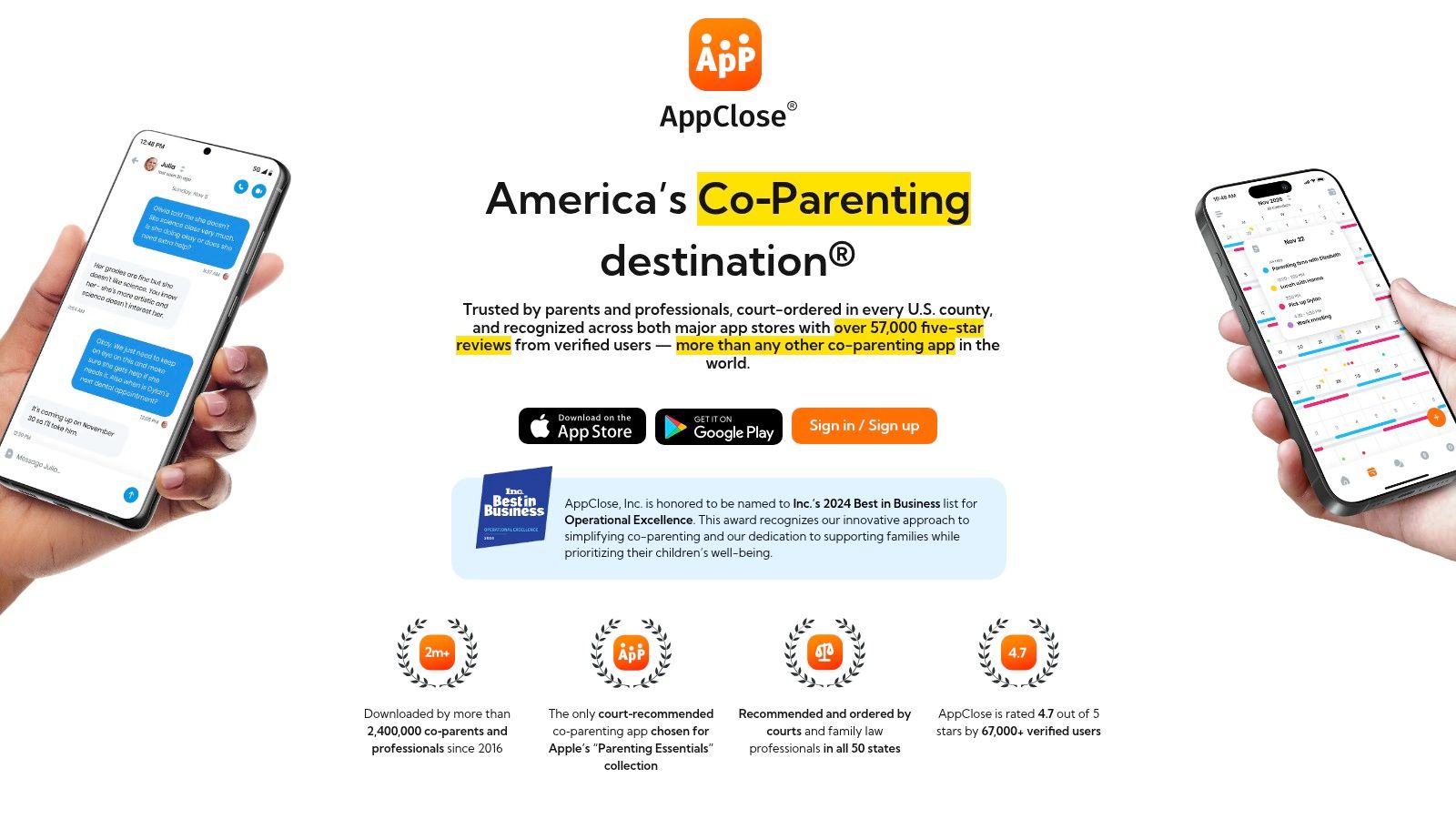
The platform delivers a comprehensive suite that rivals more expensive competitors, including secure messaging, audio/video calling, and detailed expense tracking. Its records are designed to be clear and exportable, which is crucial for legal documentation, with the company claiming widespread court-ordered use. AppClose’s standout feature is its aggressive affordability, backed by a generous 60-day free trial and a documented fee-waiver program for those who qualify.
Key Features & User Experience
AppClose combines communication, scheduling, and financial management into a single, user-friendly interface. It's built to handle the complexities of modern co-parenting with practical, integrated solutions.
- Integrated Communication: Go beyond text with secure, documented audio and video calls directly within the app.
- Flexible Calendars: Use over 15 pre-made schedule templates or create custom ones to manage multiple children's activities and parenting time.
- Streamlined Expenses: Scan receipts, track reimbursement requests, and manage payments, creating a clear financial record.
- Exportable Records: Easily compile and export your communication and financial history for legal or personal review.
Pricing & Access
AppClose’s new model is subscription-based but remains one of the most budget-friendly options available. It offers a 60-day full-feature free trial for new users to test the platform thoroughly. A key benefit is its publicly available fee-waiver program, ensuring access for parents facing financial hardship. This commitment to accessibility sets it apart in the market.
| Feature | What It Does | Best For |
|---|---|---|
| Generous Free Trial | Provides 60 days of full access to all features before a subscription is needed. | Dads who want to extensively test a platform's fit for their family. |
| Fee-Waiver Program | Offers a formal process for users to apply for a free subscription based on need. | Co-parents needing a powerful tool without the financial burden. |
| Integrated Calling | Allows for documented, in-app audio and video calls between co-parents. | situations where a clear record of all forms of communication is necessary. |
Website: https://www.appclose.com
4. SupportPay
If financial disagreements are the primary source of co-parenting friction, SupportPay is the specialized tool designed to tackle that head-on. Unlike all-in-one platforms, its core focus is on managing, tracking, and paying child-related expenses with unparalleled detail. This finance-first approach makes it an excellent choice for fathers who need to create an indisputable, court-ready record of every dollar spent on their children, from medical bills to extracurricular activities.

SupportPay serves as a neutral, third-party intermediary for all financial transactions. It eliminates the "he said, she said" of verbal agreements by providing a transparent ledger. You can scan and upload receipts, make payments directly via bank transfer or PayPal, and export certified records that are clear and easy for legal professionals or accountants to understand. While it has messaging, its strength is in turning financial chaos into organized, actionable data.
Key Features & User Experience
The platform is built to be a comprehensive financial command center, which also helps you teach your kids about money through responsible management.
- Detailed Expense Tracking: Log and categorize every expense, upload receipts for proof, and manage payment and reimbursement requests.
- Certified Records: Generate court-admissible financial reports, which can be exported to PDF or CSV formats.
- Direct Payments: Securely send and receive payments through the platform, avoiding direct and often tense financial exchanges.
- Bundled WeParent Access: Paid plans include a premium subscription to the WeParent app for more robust scheduling and communication features.
Pricing & Access
SupportPay offers a free Starter plan with basic expense tracking. The real power, however, is unlocked with its paid tiers, which start around $14.99 per month. These premium plans include advanced features like certified records, unlimited expense storage, and the bundled WeParent subscription, offering a comprehensive solution for both finances and scheduling.
| Feature | What It Does | Best For |
|---|---|---|
| Finance-First Focus | Specializes in tracking, documenting, and paying shared child expenses. | Dads whose main co-parenting conflicts revolve around money and reimbursements. |
| Certified Reporting | Creates detailed, court-accepted financial records that can be exported. | Fathers needing bulletproof financial documentation for legal or tax purposes. |
| WeParent Bundle | Integrates a full-featured scheduling and communication app with paid plans. | Parents who want a top-tier financial tool and a separate, robust calendar app. |
Website: https://supportpay.com
5. WeParent
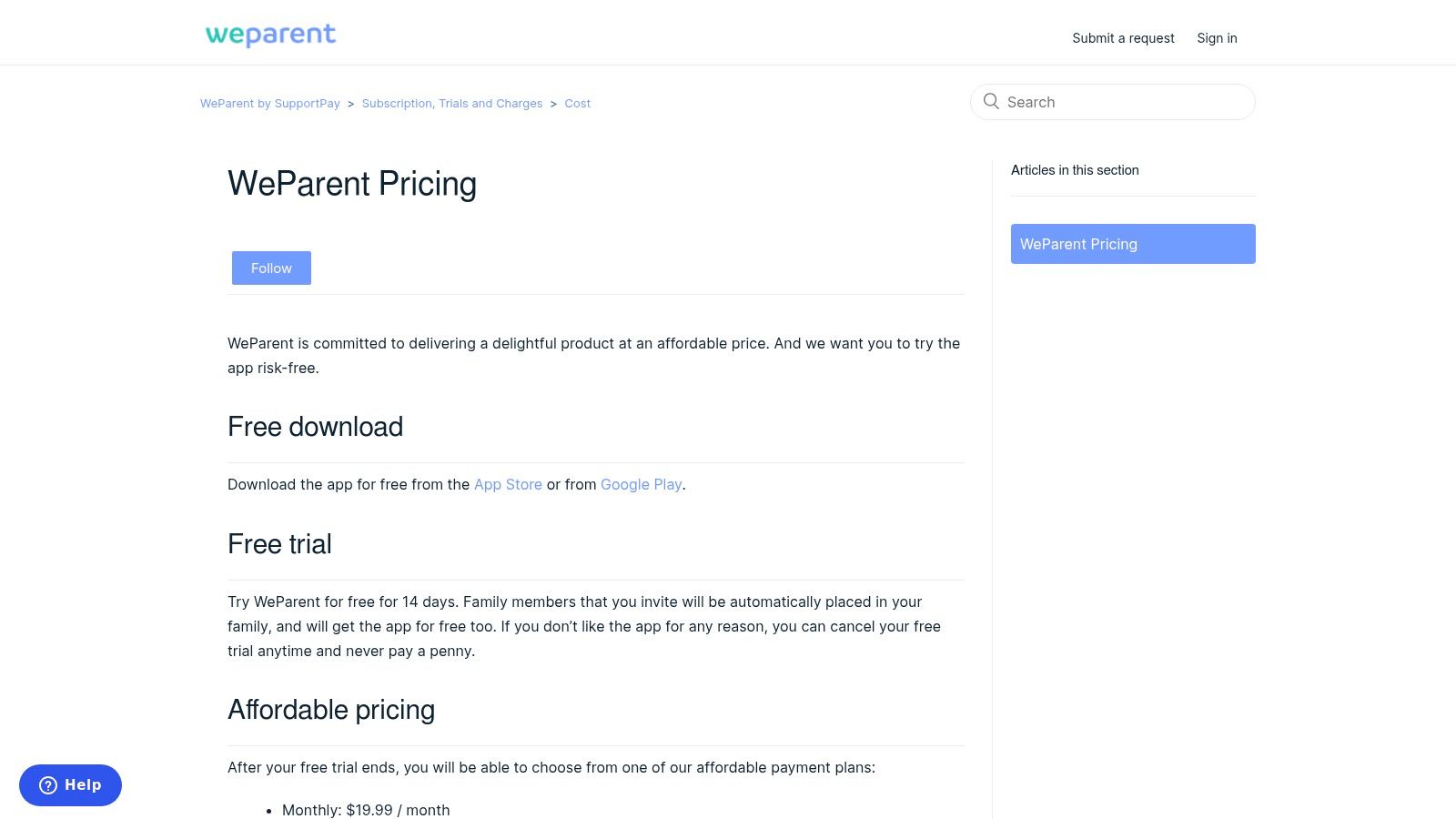
WeParent positions itself as a streamlined co-parenting organizer designed for the day-to-day logistics of raising children in separate households. Its main strength lies in its simplicity and family-inclusive subscription model, making it an accessible entry point among co parenting communication tools. Instead of a heavy focus on court admissibility, WeParent prioritizes practical, real-time coordination for parents who need an efficient way to manage schedules, lists, and basic communication without overwhelming features.
The platform is built to be a central hub for all family members, including children over 13 and trusted third parties like grandparents or mediators. This inclusive approach helps keep everyone on the same page. For dads striving to find equilibrium, using a tool like this can be a game-changer. Learning how to balance work and family life becomes much more manageable when scheduling conflicts are minimized through a shared digital calendar.
Key Features & User Experience
WeParent focuses on core organizational features that simplify the most common co-parenting challenges. The interface is designed for quick updates and easy navigation on its iOS and Android apps.
- Shared Custody Calendar: Create and manage parenting schedules with templates and automated reminders to prevent mix-ups.
- Real-Time Messaging: A simple, archived messaging system keeps a permanent record of all conversations.
- Family-Wide Access: Invite your co-parent, older children, and other involved adults to view and contribute to the family schedule.
- Shared Lists & Contacts: Keep track of shopping lists, important contacts, and other shared information in one accessible place.
Pricing & Access
WeParent offers a unique pricing structure where a single subscription covers the entire family, including the co-parent and other invited members. They provide a 14-day free trial to test the platform. Annual plans offer a significant discount over monthly payments. It’s also available as part of a bundle with SupportPay's paid plans, adding value for those who also need a child support payment management tool.
| Feature | What It Does | Best For |
|---|---|---|
| Family Subscription | One payment covers every family member you invite, including the co-parent and kids. | Budget-conscious families seeking a simple, all-in-one price. |
| Simple Interface | Focuses on core scheduling and messaging without complex, court-oriented features. | Dads who need a straightforward tool for daily logistical coordination. |
| SupportPay Bundle | Can be accessed as part of a paid plan with the child support payment platform. | Parents who also need a dedicated system for tracking financial support. |
Website: https://help.weparent.app/hc/en-us/articles/4411800057364-WeParent-Pricing
6. 2houses
2houses is a well-rounded and internationally popular co-parenting app that aims to simplify logistics for separated parents. While it may not have the heavy court-admissibility focus of its larger American competitors, it offers a balanced and user-friendly suite of tools designed to reduce daily friction. It's an excellent choice for fathers in low-to-moderate conflict situations who need a practical, all-in-one solution for managing schedules, finances, and information without the legal-system overhead.

The platform’s strength lies in its straightforward approach to the three core areas of co-parenting: scheduling, finances, and information sharing. Its interface is clean and accessible across web, iOS, and Android, ensuring both parents can stay in sync regardless of their preferred device. This makes 2houses a solid contender among co-parenting communication tools for those who prioritize ease of use and comprehensive features for everyday management.
Key Features & User Experience
2houses organizes its features into logical, easy-to-navigate sections, making it less intimidating for parents new to using a dedicated app.
- Custody Calendar: An interactive calendar to manage custody schedules, log events, and request schedule changes.
- Expense Tracking: A financial management system to track shared expenses, make reimbursement requests, and view balance summaries.
- Information Bank: A central place to store important details like contacts, medical information, and official documents.
- Journal & Albums: A space to share news, photos, and updates about the children, helping both parents stay involved in their kids' lives.
Pricing & Access
2houses offers a 14-day free trial to test its full feature set. After the trial, it operates on a subscription model, with pricing typically around $14.99 per month per family (not per parent). Plans are available on a monthly, annual, or lifetime basis, offering flexibility. Pricing can vary slightly by region and the platform where you subscribe (web vs. app store).
| Feature | What It Does | Best For |
|---|---|---|
| Interactive Calendar | Provides a visual way to manage schedules and coordinate events seamlessly. | Dads needing a clear, simple system to manage parenting time and activities. |
| Financial Module | Tracks expenses and manages reimbursement requests with clear summaries. | Parents looking for a straightforward way to handle shared child-rearing costs. |
| Journal Feature | Allows parents to share updates, photos, and anecdotes about the children. | Fostering a positive, child-focused communication channel. |
Website: https://www.2houses.com
7. Fayr
Fayr was founded by a divorced dad who understood the need for simple, powerful documentation, making it one of the most practical co parenting communication tools available. Its standout feature is its emphasis on GPS-verified location check-ins, which provides indisputable proof of parenting time exchanges and locations. This focus on creating court-ready, verifiable records makes it an excellent choice for fathers who need to meticulously document interactions and adherence to the parenting plan.
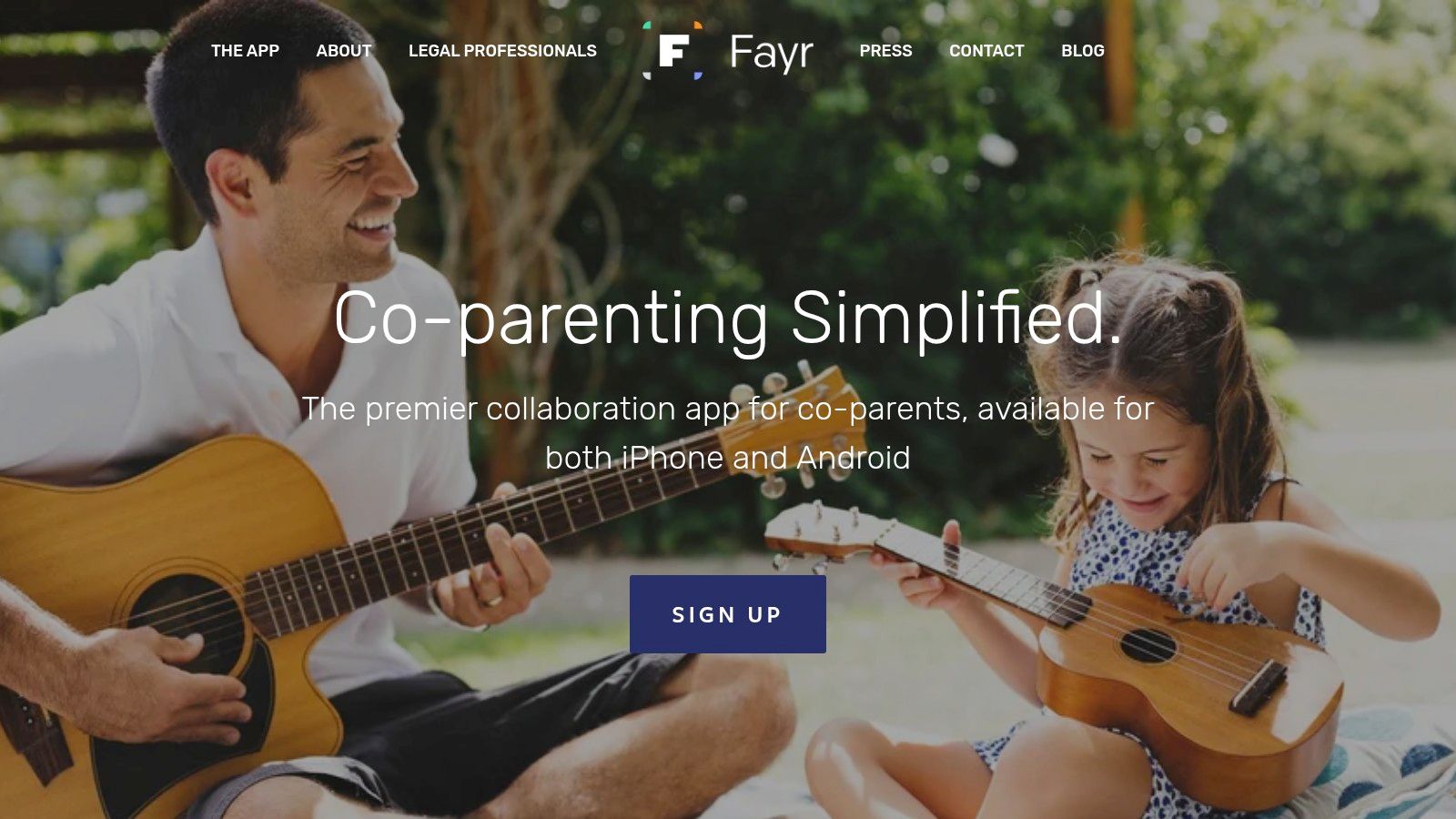
Fayr is designed for efficiency, allowing parents to log communications, track expenses, and manage schedules without unnecessary complexity. The ability to export comprehensive, court-style PDF reports is a core function, streamlining the process of preparing legal documentation. This makes it a strong contender for parents who prioritize evidence gathering in a straightforward package.
Key Features & User Experience
The user interface is clean and focused on its primary documentation functions: a shared calendar, expense tracker, messaging log, and geo-location pinning.
- Geo-Verified Check-ins: Use your phone’s GPS to create a timestamped, unalterable record of your location for drop-offs and pick-ups.
- Time-Sharing Calendar: Manage your custody schedule, submit requests for parenting time swaps, and keep a clear record of all events.
- Expense & Message Tracking: Log all shared expenses and communications in an organized, immutable format.
- Court-Ready Exports: Generate detailed PDF reports that are formatted for legal use, covering communications, expenses, and location data.
Pricing & Access
Fayr offers a competitive subscription model with monthly, annual, and even lifetime options, often making it a more affordable alternative to the bigger platforms. While its user base is smaller and historically iOS-focused (with Android availability), its feature set is robust for parents needing strong documentation tools without the high cost.
| Feature | What It Does | Best For |
|---|---|---|
| Geo-Verified Check-in | Creates an indisputable, timestamped record of your location for exchanges. | Fathers needing to prove presence at pick-ups and drop-offs. |
| PDF Report Exports | Compiles all logs into a single, professional report for court or mediation. | Simplifying the preparation of legal documents and evidence. |
| Flexible Pricing | Offers monthly, annual, and lifetime subscription plans for cost-effectiveness. | Co-parents seeking a budget-friendly but powerful documentation tool. |
Website: https://www.fayr.com
8. coParenter
coParenter positions itself as more than just a communication tool; it’s an on-demand conflict resolution service. Its standout feature is direct access to live, qualified co-parenting professionals who can help mediate disagreements before they escalate. This unique blend of tech and human support makes it an excellent choice for fathers who find themselves in frequent, low-to-mid-level conflicts and want to resolve issues without heading to court. The platform is designed to guide parents toward creating documented agreements on the fly.
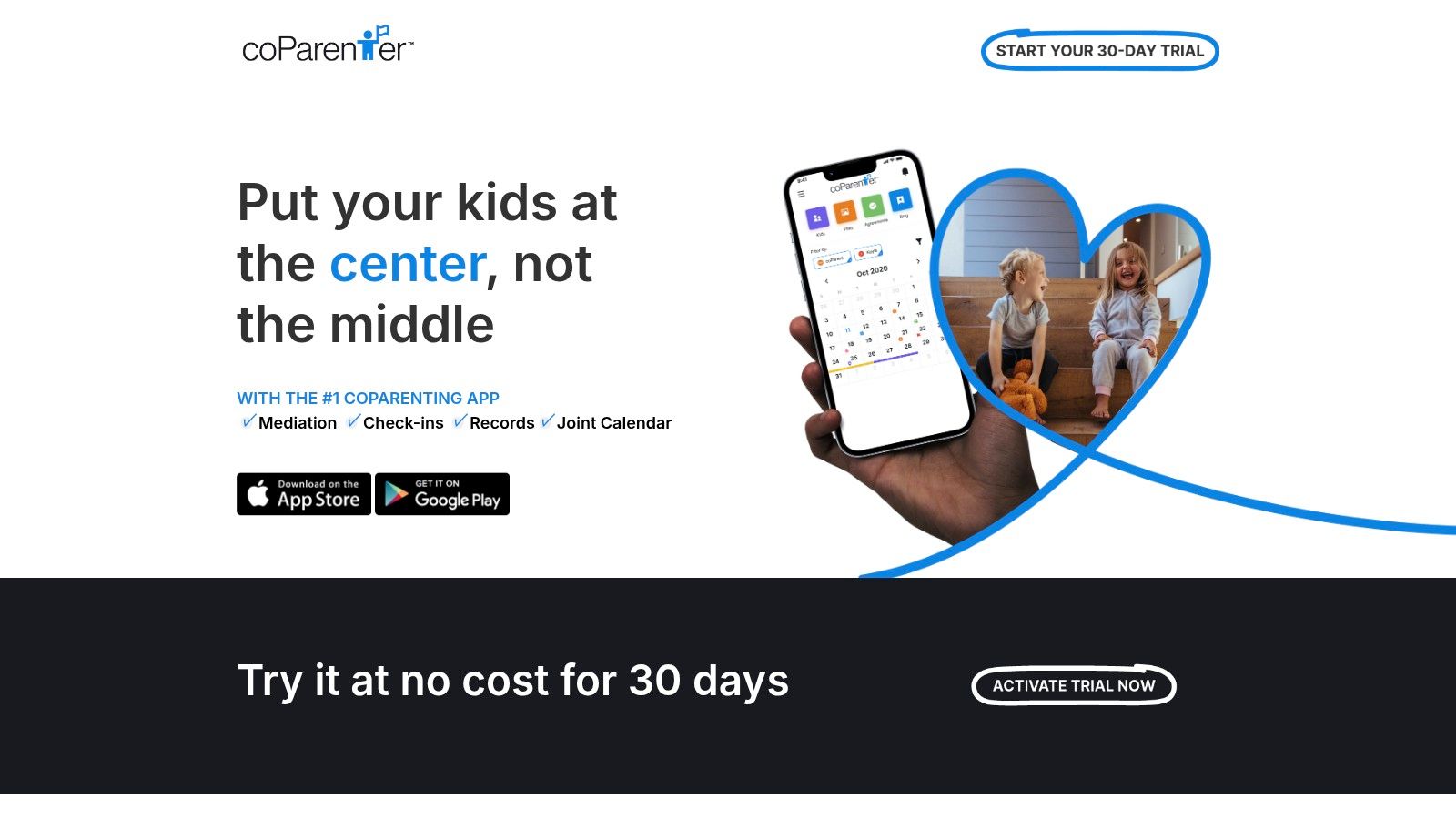
Instead of just providing a space to argue, coParenter offers structured workflows for common co-parenting requests, like parenting time swaps or expense approvals. If you and your co-parent hit a snag, you can request help from a professional directly within the app. This proactive approach to de-escalation is its core strength, turning a simple app into a powerful mediation resource.
Key Features & User Experience
The app is built around reaching agreements and getting help when needed, with standard co-parenting features to support this goal.
- Secure Messaging: All communications are time-stamped and cannot be altered, ensuring a clear record.
- On-Demand Professionals: Access live mediators and co-parenting coaches to help resolve disputes in real-time.
- Guided Requests: Structured templates guide parents through making and documenting agreements for things like schedule changes or childcare.
- Shared Calendar & Check-Ins: A standard joint calendar for scheduling, plus a check-in feature to document location-verified drop-offs and pick-ups.
Pricing & Access
coParenter uses a subscription model, with pricing that can vary depending on the plan and app store. It's crucial to verify the current cost before subscribing. The key value proposition is that the subscription includes access to professional mediators, which can be significantly more affordable than hiring one privately. While marketing has historically felt more iOS-focused, the app is available on Android as well.
| Feature | What It Does | Best For |
|---|---|---|
| On-Demand Mediation | Connects you with a live professional to help mediate disagreements via the app. | Dads who need immediate help de-escalating a conflict or reaching a compromise. |
| Guided Agreements | Provides structured workflows for creating clear, documented co-parenting plans. | Creating enforceable records for one-off agreements without court involvement. |
| Solo-Parent Features | Tools to help document your parenting efforts and requests, even if your co-parent isn't on the app. | situations where one parent is less cooperative but you still need to keep a record. |
Website: https://coparenter.com
9. Custody X Change
Custody X Change is less a day-to-day messenger and more a strategic planning and documentation powerhouse. While many co-parenting communication tools focus on the "how" of talking, Custody X Change excels at defining the "what" and "when." Its core strength lies in creating professional-grade parenting plans and custody calendars that are clear, precise, and ready for legal review, making it a critical tool for fathers preparing for court or mediation. It translates your desired schedule into legally sound language and calculates parenting time percentages with exacting detail.
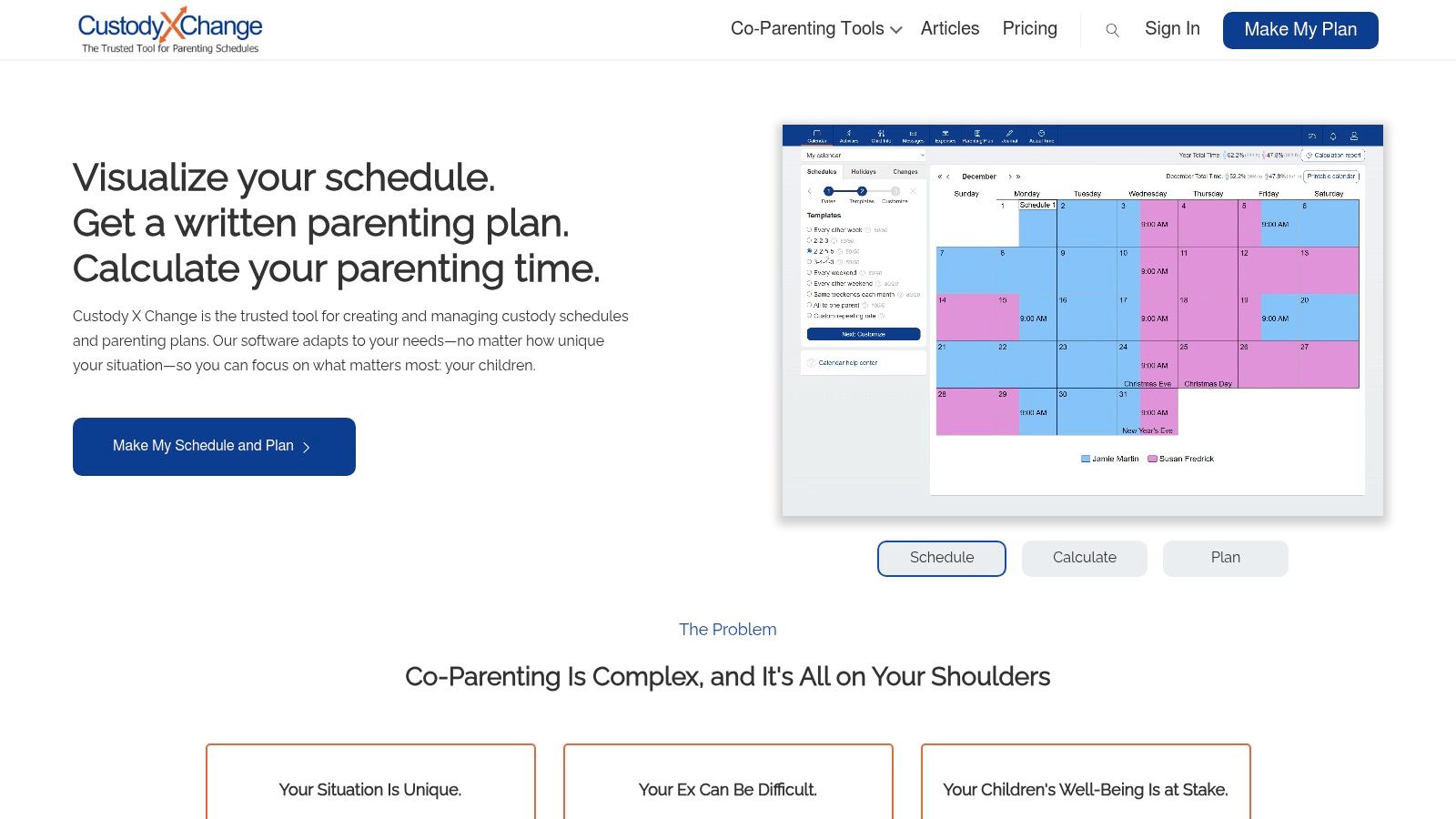
While it offers messaging features when accounts are linked, its primary function is documentation and planning. Fathers can use it to build compelling proposals for custody arrangements, track deviations from the court-ordered schedule, and maintain a private journal to log important events. The platform is designed to produce evidence, not just facilitate conversation.
Key Features & User Experience
The interface is geared towards building legal documents and schedules, making it more akin to specialized software than a simple chat app.
- Parenting Plan Templates: Create comprehensive plans using over 140 common provisions written in clear, legal language.
- Visual Custody Calendars: Design and visualize any type of custody schedule, from common rotations to highly customized arrangements.
- Time-Share Calculations: Automatically calculates the exact parenting time percentage for each parent, which is crucial for legal and financial accuracy.
- Expense Tracking & Journaling: Log shared expenses and keep a private, timestamped journal to document events relevant to your case.
Pricing & Access
Custody X Change offers tiered subscription plans, starting with a Gold plan around $197 for the first year. Higher-tier plans like the Family plan allow you to add free accounts for your co-parent, children, and legal professionals, making it a collaborative documentation hub. The price reflects its specialization as a legal preparation tool.
| Feature | What It Does | Best For |
|---|---|---|
| Parenting Plan Generator | Guides you through creating a detailed, court-ready parenting plan with legal text. | Fathers needing to draft or propose a formal custody agreement. |
| Time-Share Percentage | Provides precise calculations of each parent's time with the children. | Proving parenting time for child support calculations or custody negotiations. |
| Professional Printouts | Generates clean, professional-quality documents and reports for court or mediation. | Presenting clear, data-backed evidence to attorneys or a judge. |
Website: https://www.custodyxchange.com
10. Alimentor 2
Alimentor 2 breaks from the subscription-based model common among co-parenting communication tools, offering a robust tracking solution for a one-time purchase. It’s designed for the individual parent who needs to meticulously document parenting time, expenses, and events for legal purposes, especially if the other parent is unwilling to use a shared platform. This makes it an excellent choice for fathers who need a private, secure, and court-ready record-keeping system that they control entirely.
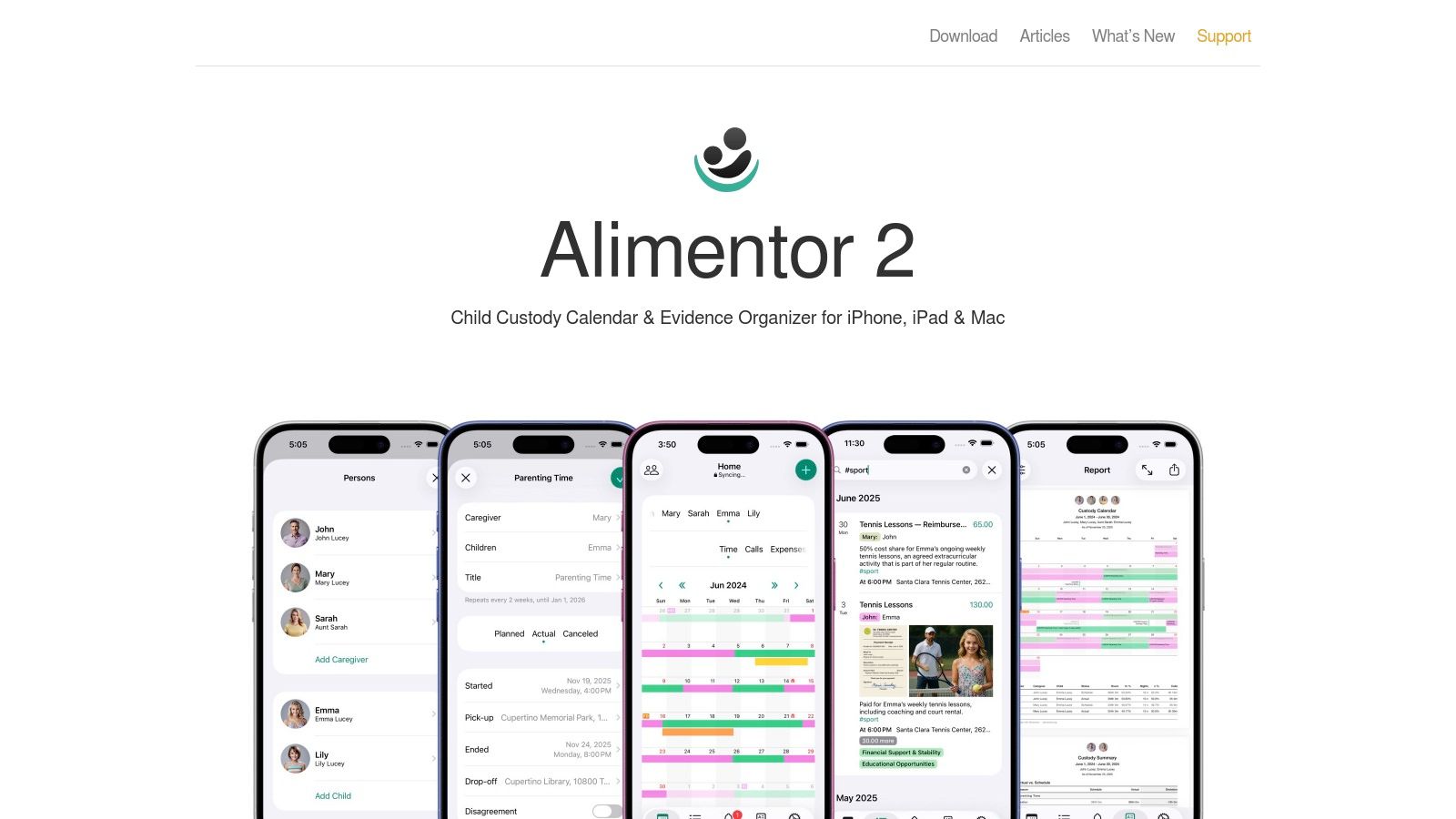
The platform shines in its ability to generate detailed, court-style PDF reports that clearly present custody data and financial logs. While it's less of a real-time communication tool and more of a personal documentation powerhouse, its focus on evidence gathering is unparalleled for a non-subscription app. It operates exclusively within the Apple ecosystem (iOS and Mac), leveraging iCloud for data storage, which provides a strong privacy posture.
Key Features & User Experience
Alimentor 2 is built around precise record-keeping, allowing parents to create a comprehensive log for legal review. The interface is data-focused and geared towards generating clear, professional reports.
- Custody Time Tracking: Log planned versus actual parenting time down to the hour, including overnights.
- Expense and Support Logging: Track child-related expenses and support payments with receipt attachments.
- Evidence-Style Journals: Create detailed journal entries with photo, video, and document attachments for a complete record of events.
- Court-Ready Exports: Generate professional PDF reports that are organized and easy for legal professionals to interpret.
Pricing & Access
Alimentor 2 is available for a one-time fee on the Apple App Store, making it a budget-friendly alternative to monthly subscriptions. Since it uses your personal iCloud for data storage, you maintain full control over your information, and it works independently without requiring your co-parent's participation or access.
| Feature | What It Does | Best For |
|---|---|---|
| One-Time Purchase | Avoids recurring monthly or annual subscription fees. | Dads looking for a cost-effective, long-term documentation solution. |
| Solo-Use Design | Functions as a personal log without needing the other parent to join. | High-conflict situations or when a co-parent is uncooperative. |
| iCloud Data Storage | Keeps all your sensitive data securely stored in your personal iCloud. | Fathers who prioritize privacy and data ownership. |
Website: https://alimentor.org/en/index.html
11. Apple App Store (iOS)
While not a co-parenting tool itself, the Apple App Store is the essential starting point for any father using an iPhone or iPad. It serves as a secure, centralized hub for discovering, comparing, and managing the various co-parenting communication tools available on the market. For dads new to this landscape, the App Store provides a safe environment to explore options like OurFamilyWizard, AppClose, and TalkingParents, all in one place.

Its real value lies in the transparency and trust it offers. You can read verified user reviews, check out screenshots of the app's interface, and review detailed privacy labels to see how your data is handled before you download anything. This allows for an informed decision, which is critical when dealing with sensitive family information.
Key Features & User Experience
The App Store simplifies the entire process from discovery to management, ensuring a seamless experience for iOS users.
- Centralized Discovery: Search and find nearly every major co-parenting app in one location.
- User Reviews & Ratings: Gain insight from other parents' experiences to gauge an app's real-world performance and usability.
- Clear Privacy & Pricing: App pages clearly outline in-app purchases, subscription costs, and data privacy policies.
- Family Sharing: Some paid app subscriptions can be shared with family members, potentially cutting costs if both parents are in the same Apple Family group.
Pricing & Access
Access to the App Store is free for all Apple users. The apps themselves vary from free to subscription-based. A major benefit is that all purchases and subscriptions are managed directly through your Apple ID, simplifying payments and cancellations. The primary limitation is that it's exclusive to the Apple ecosystem; a co-parent on an Android device will need to use the Google Play Store.
| Feature | What It Does | Best For |
|---|---|---|
| User Reviews | Provides authentic feedback from other co-parents on app functionality and reliability. | Evaluating and comparing different co-parenting apps before committing. |
| Privacy Labels | Details what data an app collects and how it's used, ensuring transparency. | Fathers concerned with the security of their family's private information. |
| Subscription Mgmt. | Allows you to easily view, manage, and cancel all app subscriptions in one place. | Maintaining control over recurring expenses for co-parenting tools. |
Website: https://apps.apple.com
12. Google Play Store (Android)
While not a co-parenting tool itself, the Google Play Store is the essential gateway for Android users to access the vast majority of digital co-parenting communication tools. For fathers using Android phones, this is the primary, trusted marketplace to find, download, and manage the apps that facilitate communication and organization. It serves as a central hub where you can compare different platforms, read user reviews, and keep your chosen applications updated with the latest features and security patches.
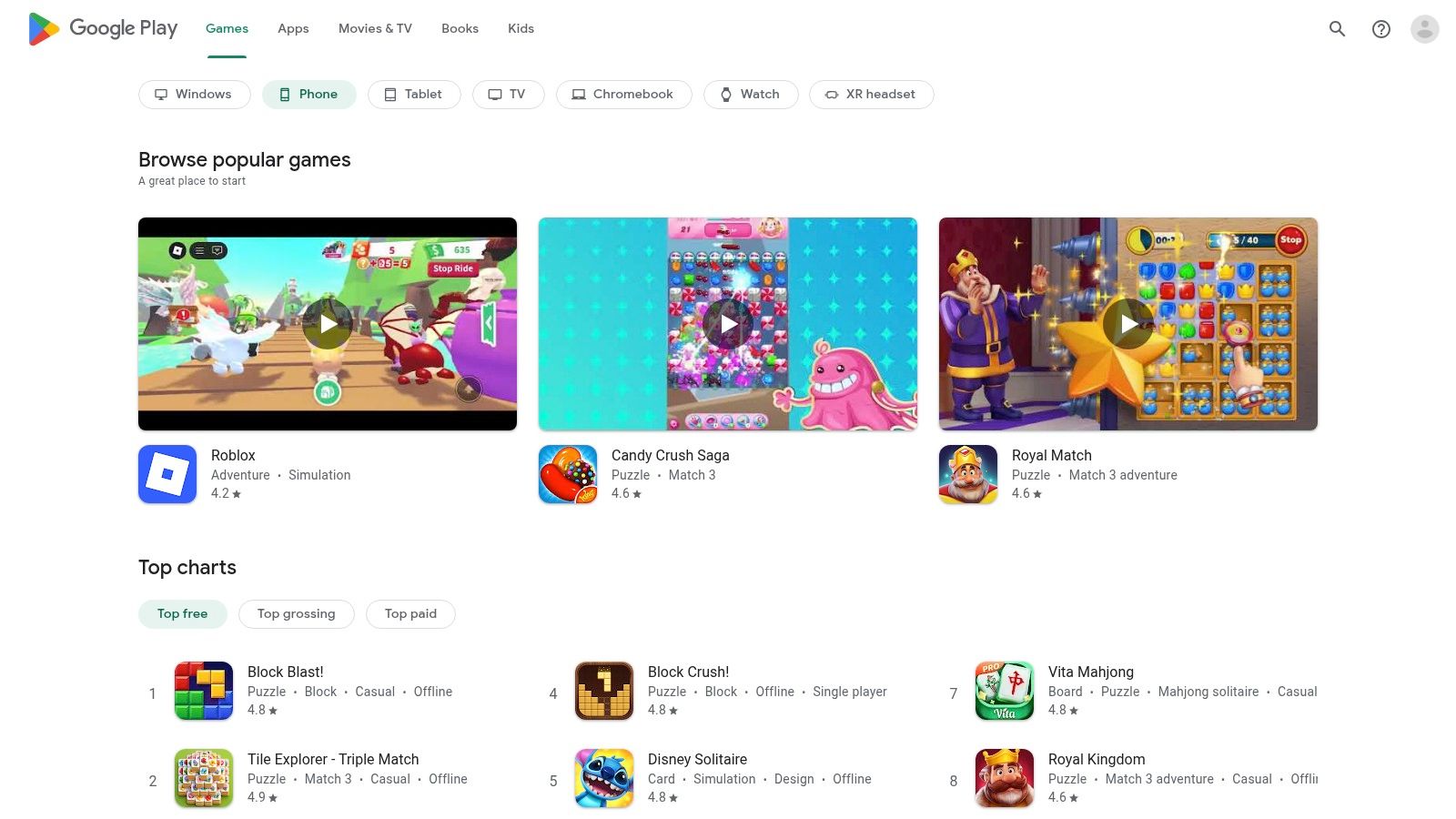
The Play Store simplifies the process of getting started. You can search for specific apps like TalkingParents, AppClose, or WeParent, or discover new ones by searching for terms like "co-parenting calendar" or "custody schedule." For dads managing finances, it's also where you'll handle subscriptions, providing a single, secure place to control payments for any premium co-parenting apps you decide to use.
Key Features & User Experience
As the official Android market, its function is straightforward: provide secure access to apps and manage them effectively on your device.
- App Discovery & Vetting: Search and find co-parenting apps, complete with user ratings, reviews, and developer update logs to gauge reliability.
- Subscription Management: Easily start, stop, or change subscriptions for paid co-parenting tools directly through your Google account.
- Automatic Updates: Keep your communication tools running smoothly and securely by enabling automatic updates, ensuring you have the latest bug fixes.
- Device Compatibility: The store automatically checks if an app is compatible with your specific phone model before you download it.
Pricing & Access
The Google Play Store itself is free to use. The apps within it range from free (like AppClose) to subscription-based (like OurFamilyWizard or TalkingParents). The main challenge can be platform disparity; some co-parenting apps may release new features on iOS first or, in rare cases, be iOS-exclusive, requiring Android users to rely on the web version.
| Feature | What It Does | Best For |
|---|---|---|
| Centralized Discovery | Aggregates nearly all available co-parenting apps for Android in one place. | Fathers researching and comparing different communication platforms. |
| User Reviews & Ratings | Provides community feedback on an app's usability, reliability, and features. | Making an informed decision before committing to a specific tool. |
| Subscription Control | Offers a unified dashboard to manage and cancel all app subscriptions. | Dads who want a simple, secure way to handle payments for premium services. |
Website: https://play.google.com
Top 12 Co-Parenting Communication Tools Comparison
| Product | Core features | 👥 Target | ✨ Unique / USP | ★ Quality | 💰 Pricing |
|---|---|---|---|---|---|
| OurFamilyWizard | Timestamped messaging, ToneMeter, custody calendar, expense tracking, call docs | High-conflict / court-ordered parents 👥 | Court-trusted records & certified print 🏆 ✨ | ★★★★ | Subscription; higher tiers/add‑ons 💰💰💰 |
| TalkingParents | Unalterable messages & calls, transcripts, calendar, accountable payments | Court/mediation users & evidence-focused 👥 | Unalterable records + free web tier 🏆 ✨ | ★★★★ | Free web + paid plans; calling mins vary 💰💰 |
| AppClose | Messaging, audio/video, calendar templates, expense payments, long trial | Budget-conscious parents trying alternatives 👥 | Aggressive pricing & 60‑day trial ✨ | ★★★ | Low-cost subscription; trial available 💰 |
| SupportPay | Expense logging, receipt scanning, bank/PayPal transfers, export, WeParent bundle | Finance-focused parents / accountants 👥 | Deep financial reporting & WeParent bundle 🏆 ✨ | ★★★★ | Paid tiers for full features 💰💰 |
| WeParent | Shared calendars, real-time messaging, family invites, mobile apps | Day-to-day coordination for families 👥 | One subscription covers whole family; simple setup ✨ | ★★★ | 14‑day trial; subscription tiers 💰 |
| 2houses | Custody calendar, expense tracker, info bank, photo/video sharing | Cross-platform families, low‑to‑moderate conflict 👥 | Balanced toolkit & strong cross-device support ✨ | ★★★ | Subscription; regional pricing varies 💰 |
| Fayr | Time-sharing calendar, geo-verified check-ins, expense records, court PDFs | Parents needing GPS verification / evidence 👥 | Geo-verified check-ins + court-style exports ✨ | ★★★ | Modest monthly/annual/lifetime options 💰💰 |
| coParenter | Time-stamped messaging, guided swap flows, agreement creation, mediators on demand | High-conflict parents who want mediation help 👥 | Built-in on-demand mediators & agreement tools 🏆 ✨ | ★★★ | Subscription + mediator fees as needed 💰💰 |
| Custody X Change | Visual custody calendars, legal parenting-plan templates, reporting & printouts | Attorneys & parents preparing for court 👥 | Professional-grade legal wording & reports 🏆 | ★★★★ | Paid tiers; premium features cost 💰💰 |
| Alimentor 2 | Plan vs actual tracking, expense/support logs, evidence journals, PDF export | Solo documenters & Apple-only users 👥 | One-time purchase, strong privacy (iCloud) ✨ | ★★★ | One-time fee (no subscription) 💰 |
| Apple App Store (iOS) | App discovery, ratings, privacy labels, subscription management | iPhone/iPad users & app discoverability 👥 | Curated distribution, clear trial/pricing info 🏆 | ★★★★ | App prices & subs vary; App Store fees apply 💰 |
| Google Play Store (Android) | App discovery, reviews, subscription mgmt, compatibility checks | Android users & cross-platform coordination 👥 | Broad Android reach; auto-updates/compat checks ✨ | ★★★★ | App prices & subs vary via Play billing 💰 |
Choosing Your Tool and Mastering the Game
Navigating the landscape of co-parenting is one of the most significant challenges a modern father can face. The emotional and logistical complexities can feel overwhelming. However, as we've explored, the right co-parenting communication tools can fundamentally transform this dynamic, shifting it from a source of daily friction to a structured, manageable, and even business-like partnership. The goal isn't to erase disagreements but to create a system that contains them, ensuring they don't spill over into your relationship with your children.
You've seen the comprehensive breakdowns of tools ranging from the court-admissible powerhouses like OurFamilyWizard and TalkingParents to cost-effective solutions like AppClose. We’ve covered everything from shared calendars and messaging logs to detailed expense trackers like SupportPay and sophisticated custody schedule builders like Custody X Change. Your journey now is to move from information to implementation.
From Information to Action: Your Next Steps
The sheer number of options can feel paralyzing, but your decision-making process can be simplified by focusing on your primary "pain point." Don't search for a single app that does everything perfectly; identify the one that best solves your most pressing co-parenting challenge right now.
- For High-Conflict & Court Mandates: If your co-parenting relationship is fraught with tension or you have a court order requiring documented communication, your choice is clear. OurFamilyWizard and TalkingParents are the industry standards for a reason. Their unalterable records, third-party access for legal professionals, and comprehensive feature sets provide a crucial layer of accountability and protection.
- For Budget-Conscious & Amicable Co-Parenting: If conflict is low and you primarily need a central hub for organization without a hefty subscription fee, AppClose is an exceptional starting point. It offers a robust set of features for free, making it an easy "yes" for a co-parent who might be hesitant to invest financially.
- For Financial Clarity & Expense Disputes: When arguments consistently revolve around money, reimbursements, and shared costs, a specialized tool is your best bet. SupportPay is designed from the ground up to tackle this specific issue, providing a clear, auditable trail of every single expense and payment. This removes the "he said, she said" element from your financial co-parenting duties.
- For Complex Schedules & Custody Management: If your biggest headache is managing intricate custody schedules, holiday rotations, and vacation time, then a dedicated scheduler like Custody X Change is invaluable. It helps you visualize the year, calculate overnights accurately, and generate professional-grade calendars that leave no room for ambiguity.
Implementing Your Chosen Tool for Success
Selecting an app is only half the battle; successful implementation is what truly matters. Propose the chosen tool not as a demand, but as a solution to a mutual problem. Frame it as a way to reduce stress for both of you and, most importantly, for the children. Explain that it’s about creating a single source of truth for schedules, expenses, and important information, which minimizes misunderstandings and streamlines logistics.
Once you have agreement, establish clear ground rules together. Define expectations for usage, such as:
- Response Times: Agree on a reasonable timeframe for responding to non-urgent messages (e.g., 24-48 hours).
- Tone & Language: Commit to keeping all communication factual, respectful, and child-focused. Use the app's features, like the "ToneMeter" in OurFamilyWizard, to self-police your messages.
- Expense Protocol: Outline the process for submitting receipts, setting deadlines for reimbursement, and handling disputes over specific costs.
By consistently using these co-parenting communication tools, you are not just organizing your life; you are building a new foundation for your co-parenting relationship. You are demonstrating to your children that their parents can work together effectively, even when apart. This commitment to clear, documented, and conflict-reduced communication is one of the most powerful gifts you can give them, allowing you to dedicate your energy to what truly matters: being a present, engaged, and effective father.
The strategies and tools discussed here are just the beginning of optimizing your approach to fatherhood. At alphadadmode.com, we are building a comprehensive platform with resources, courses, and a community dedicated to helping modern dads master every aspect of their lives, from co-parenting to personal growth. Sign up for our pre-launch newsletter at alphadadmode.com to get exclusive access to new tools and content designed for fathers who lead.
