



Long car rides, flights, or just a weekend cabin getaway often share a common problem: spotty or nonexistent Wi-Fi. For a dad, that can lead to a chorus of "I'm bored!" from the back seat. But with a little preparation, you can turn those disconnected moments into quality family fun or a well-deserved moment of peace.
This guide is your complete resource for finding and preparing games without internet. We move beyond simple lists and instead show you the best platforms and digital storefronts to build a reliable offline library. Think of this as your strategic plan for unplugged entertainment, ensuring you're never caught without a good game again.
We'll dive into the major digital ecosystems, from the Google Play Store and Apple Arcade for mobile devices to Steam and GOG.com for PC gaming. We will also cover console options on the Nintendo eShop and PlayStation Store, and even where to find physical games that require no connection at all. For each platform, we provide practical advice, screenshots, and direct links to help you find what you need.
This curated list breaks down exactly where to look and what to download before you lose your signal. We focus on games that are perfect for single-session play on a plane, long-form adventures for a week at the cabin, and local multiplayer titles that bring everyone together. Let's make sure your devices are loaded and ready for offline adventure, transforming potential downtime into memorable family time.
1. Google Play (Android)
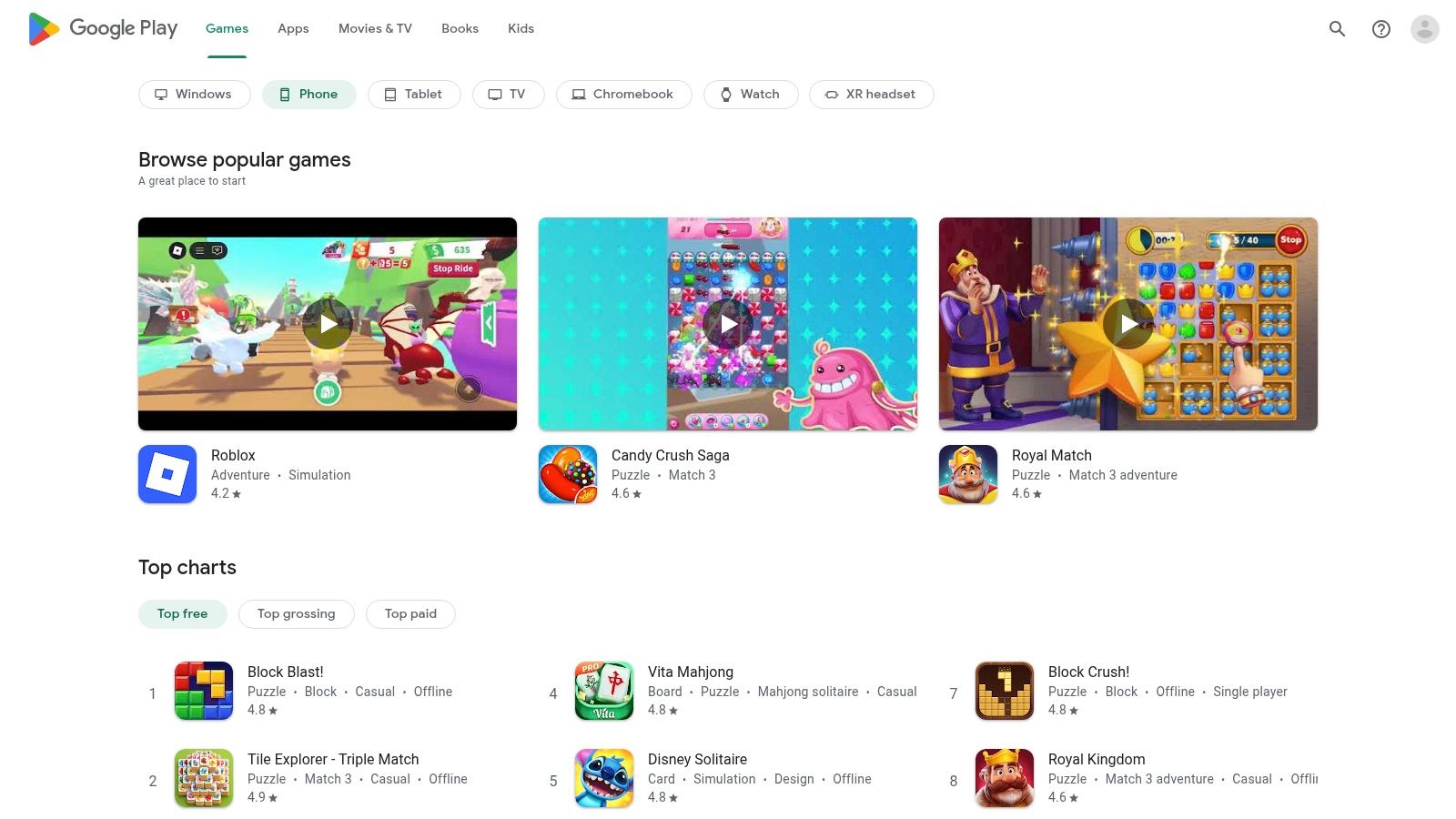
As the official app store for the Android ecosystem, Google Play is the most direct and expansive source for discovering thousands of games without internet access. Its massive catalog serves as the primary gateway for users on phones, tablets, and many Chromebooks to find entertainment for long flights, road trips, or areas with poor connectivity. The sheer volume of titles, from indie puzzles to AAA ports, makes it an essential first stop.
Why It’s a Go-To for Offline Gaming
The platform's strength lies in its variety and accessibility. The Google Play Pass subscription is a standout feature for families, offering a curated library of hundreds of premium games completely free of ads and in-app purchases for a low monthly fee. This is ideal for parents who want to hand a device to a child without worrying about unexpected charges or intrusive advertising.
Practical Tips and Considerations
While Google Play is a fantastic resource, finding truly offline games requires a bit of strategy. Not all games advertised as single-player work without a connection.
- Pre-download Everything: Always download and launch the game at least once while you still have an internet connection. Some games require an initial online check-in or asset download.
- Check the "Offline" Category: Use the search bar with terms like "offline games" or "no wifi games" to filter results.
- Read Reviews: User reviews are often the best place to confirm if a game is genuinely playable offline. Look for comments mentioning "airplane mode" or "no internet."
Website: https://play.google.com/store
Pros:
- Enormous catalog with titles for every genre and age.
- Play Pass offers exceptional value for ad-free family gaming.
- User-friendly interface with straightforward installation.
Cons:
- Offline functionality is not always clearly stated.
- Some games require periodic online check-ins to function.
2. Apple App Store + Apple Arcade
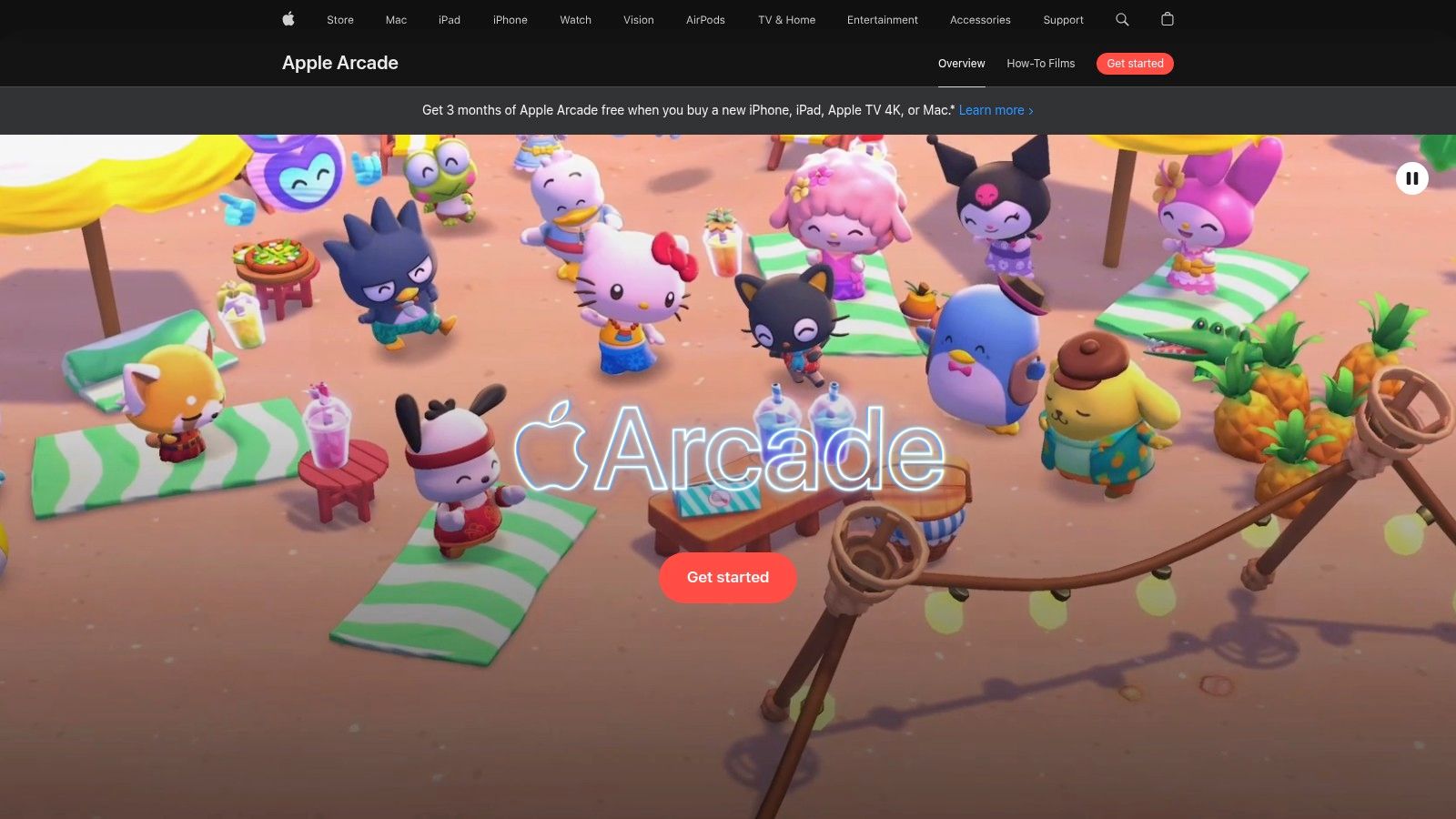
For users in the Apple ecosystem, the App Store is the definitive hub for finding high-quality games without internet, complemented by the exceptional value of Apple Arcade. The platform provides a seamless experience across iPhone, iPad, Mac, and Apple TV, making it easy to find and download entertainment for any situation, whether you're on a daily commute or a family vacation with no Wi-Fi in sight.
Why It’s a Go-To for Offline Gaming
Apple Arcade is the platform's crown jewel for offline play. It's a subscription service that grants access to over 200 premium games with absolutely no ads or in-app purchases. This curated environment is perfect for dads who want a safe, uninterrupted gaming experience for their kids. A single subscription can be shared with up to five other family members, and progress syncs via iCloud, so you can switch between your iPhone and iPad without missing a beat.
Practical Tips and Considerations
While many App Store games work offline, Apple Arcade guarantees it for its entire library. To make the most of it, remember these tips.
- Download Before You Go: Like other platforms, you must download games while connected to the internet. Open each game once to ensure all necessary files are downloaded before you travel.
- Check Device Compatibility: While Arcade works across devices, not every game is available on every platform (e.g., iPhone, Mac, Apple TV). Check the game’s App Store page for compatibility details.
- Keep Your Subscription Active: Access to Apple Arcade games is tied to your subscription. If it lapses, the games will no longer be playable, so ensure it's active before a long trip.
Website: https://www.apple.com/apple-arcade/
Pros:
- Apple Arcade offers a completely ad-free and IAP-free experience.
- One subscription works across Apple devices for up to six family members.
- iCloud sync seamlessly saves and transfers game progress.
Cons:
- Access to Arcade titles requires an ongoing subscription.
- Some games may not be compatible with all Apple devices.
3. Steam (PC, Steam Deck)
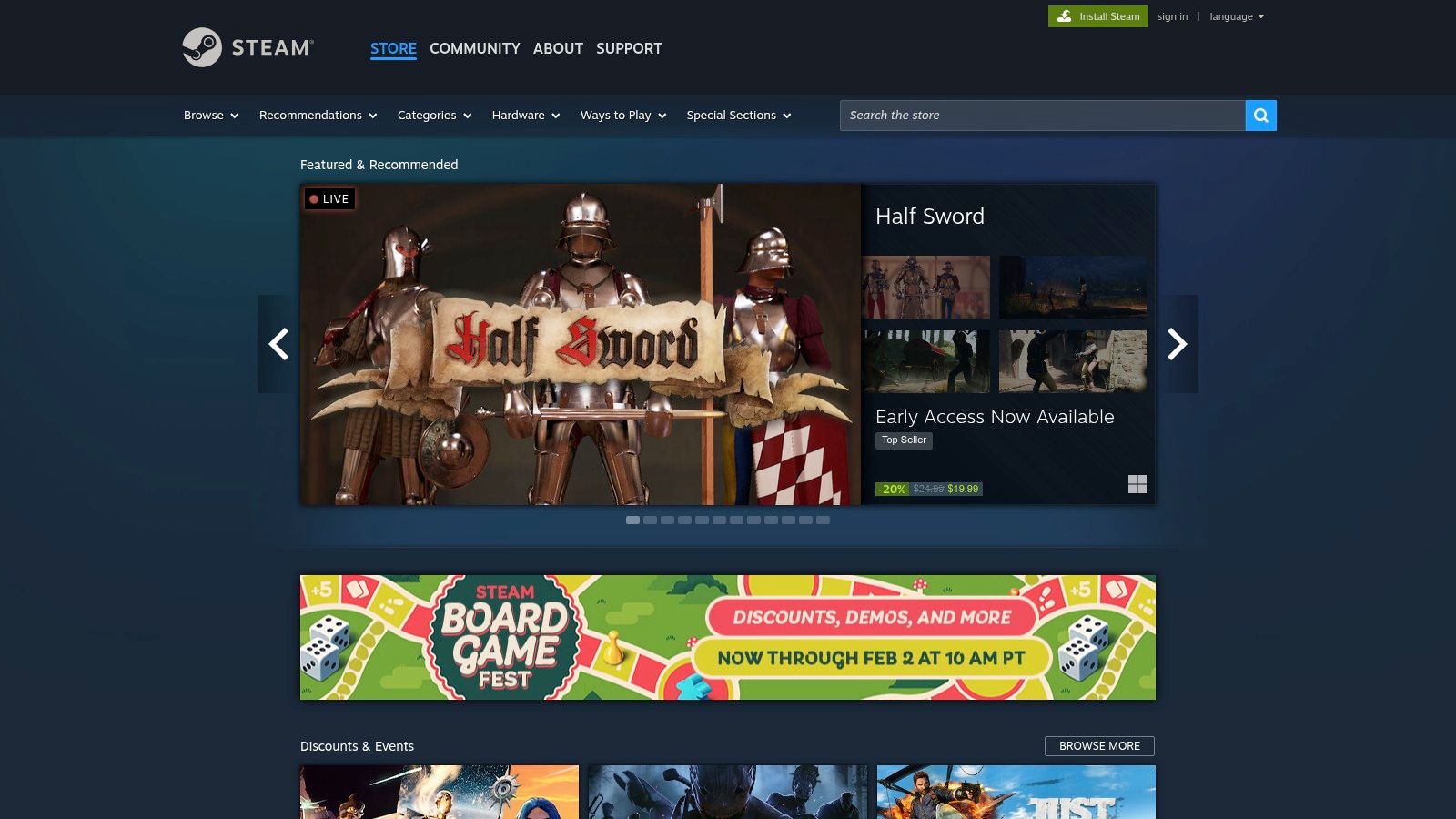
As the dominant digital storefront for PC gaming, Steam is an unparalleled library of games without internet for laptops and its popular handheld, the Steam Deck. Its massive catalog means nearly every single-player PC game is available here, from sprawling open-world RPGs to bite-sized indie adventures. For any dad with a gaming laptop or a Steam Deck, this platform is the definitive source for offline entertainment on the go.
Why It’s a Go-To for Offline Gaming
Steam's core strength is its "Offline Mode," which allows you to play most of your single-player library without any connection after an initial setup. Combined with the portable power of the Steam Deck, it transforms into an incredible device for long trips. Frequent, deep discounts during seasonal sales make it easy to build a huge backlog of offline-ready titles for very little investment, ensuring you're never without something new to play. Finding that elusive time for gaming is a common challenge, which is why learning how to balance work and family life is crucial for modern dads.
Practical Tips and Considerations
Using Steam's Offline Mode effectively requires a bit of prep work before you lose your internet connection. Not every game on the platform will work offline, especially those with third-party launchers or strict DRM.
- Activate and Update First: You must install, update, and launch each game at least once while online to ensure all files are downloaded and your account is validated.
- Enable Offline Mode Properly: Before disconnecting, go to the "Steam" menu in the top-left corner and select "Go Offline." This properly sets the client for offline play.
- Check Community Hubs: Visit a game’s "Discussions" page on its store page. Users there often confirm whether a game works flawlessly in Offline Mode or has issues.
Website: https://store.steampowered.com
Pros:
- Vast selection of games across every genre imaginable.
- Deep discounts and frequent sales offer incredible value.
- Robust Offline Mode and seamless Steam Deck integration.
Cons:
- Requires initial online activation and updates for all games.
- Some titles with third-party DRM will not work offline.
- Offline Mode can be finicky if the client wasn't closed properly.
4. GOG.com
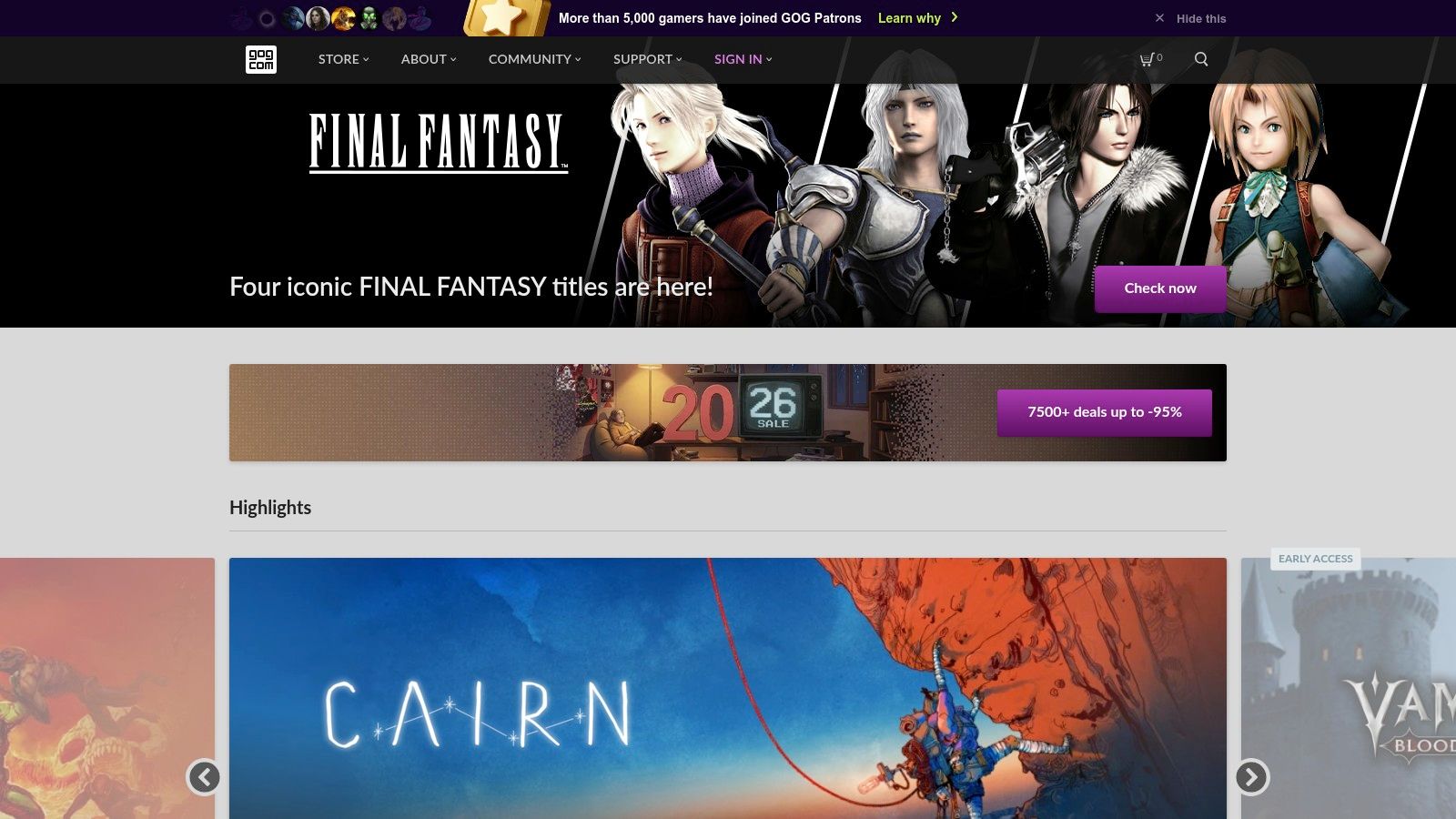
For PC gamers who prioritize true ownership and freedom from online check-ins, GOG.com (Good Old Games) is an unparalleled resource. The platform is built on a DRM-free philosophy, meaning once you purchase and download a game, it is yours to keep and play forever, entirely independent of a launcher or internet connection. This makes it a perfect destination for finding reliable games without internet access for your laptop or home computer.
Why It’s a Go-To for Offline Gaming
GOG.com’s core strength is its commitment to providing downloadable offline installers. You can save these files on an external drive, creating a physical backup of your game library that will work on any compatible PC without needing to log in or validate your purchase online. The storefront also specializes in curating a massive catalog of classic titles, updated to run on modern systems, alongside a growing selection of new indie and AAA releases.
Practical Tips and Considerations
While every game on GOG is DRM-free, using the platform effectively for offline play is simple but important to understand.
- Download the Offline Installers: Instead of just installing through the optional GOG GALAXY client, always download the separate "Offline Backup Game Installers" from your account library.
- Store Backups: Save these installer files to a USB stick or external hard drive. This ensures you can reinstall your games even if you have no internet access to re-download them.
- Check System Requirements: Since many titles are classics, they are often perfect for less powerful laptops, but always double-check the requirements before a trip.
Website: https://www.gog.com
Pros:
- Guaranteed DRM-free games provide true offline ownership.
- Offline installers allow for permanent backups.
- Excellent curation of classic and modern PC games.
Cons:
- Library is smaller than competitors like Steam; not all new titles are available.
- The optional GALAXY client’s social features require an internet connection.
5. Epic Games Store
The Epic Games Store has become a major player in the PC gaming space, particularly for its aggressive strategy of offering free weekly games. For anyone looking to build a library of games without internet, this platform is an excellent resource. By consistently claiming the free titles, you can accumulate a diverse collection of indie darlings and AAA hits that can be played offline.
Why It’s a Go-To for Offline Gaming
The main draw is the weekly free game giveaway. Many of these titles are premium, single-player experiences that are perfect for offline play once downloaded. The launcher's "Offline Mode" allows you to access and play your installed, eligible games without an active connection, making it ideal for laptop gaming on the go or during internet outages. This feature turns a primarily online storefront into a powerful offline gaming hub.
Practical Tips and Considerations
Successfully playing games offline from the Epic Games Store requires a little preparation. Not every game supports Offline Mode, especially those with their own launchers or heavy DRM.
- Enable Offline Mode: Before you lose your internet connection, go to the launcher's settings and ensure the "Enable Offline Mode Browsing" option is checked.
- Launch Online First: Similar to other platforms, you must download, install, and run each game at least once while connected to the internet to complete any initial setup and authentication.
- Check Game Compatibility: Before buying a game for offline use, check community forums or reviews to see if other users have successfully played it in Offline Mode.
Website: https://store.epicgames.com
Pros:
- Regular free game giveaways build your library at no cost.
- Straightforward client and a dedicated Offline Mode.
- Frequent sales offer deep discounts on many titles.
Cons:
- Not all games are compatible with Offline Mode.
- The launcher must be set up for offline use while you still have a connection.
6. itch.io
For those seeking truly unique and independent entertainment, itch.io is a massive online marketplace for indie creators on PC, Mac, and Linux. It is a treasure trove of experimental, artistic, and often free games without internet, offering experiences you won't find on major commercial platforms. Its DRM-free philosophy means once you download a game, it's yours to play anywhere, anytime, without needing an online connection.
Why It’s a Go-To for Offline Gaming
The platform's strength is its direct support for creators and its vast library of short, innovative titles perfect for travel. Many games are "pay-what-you-want," allowing you to try them for free or support the developer with a small contribution. The itch.io desktop app is particularly useful, letting you download, manage, and launch your library offline with ease, making it an excellent source for quick, family-friendly gaming sessions on a laptop.
Practical Tips and Considerations
Navigating itch.io’s immense catalog requires a different approach than a curated app store. The quality and scope of games can vary dramatically from one project to the next.
- Look for Bundles: itch.io is famous for its massive charity and creator bundles, which can net you hundreds of games for a low price, many of which are perfect for offline play.
- Use Tags and Collections: Filter your search using tags like "single-player," "local multiplayer," or "short" to find suitable games. Follow creators or browse collections to discover hidden gems.
- Check System Requirements: Since these are indie PC games, always check the minimum system requirements on the game's page to ensure it will run smoothly on your travel laptop.
Website: https://itch.io
Pros:
- Huge variety of unique, experimental, and artistic indie games.
- Many titles are free or use a "pay-what-you-want" model.
- Games are typically DRM-free, guaranteeing true offline play.
Cons:
- Quality and completeness of games can vary widely.
- Discoverability can be challenging without specific recommendations.
7. Humble (Humble Store and Humble Choice)
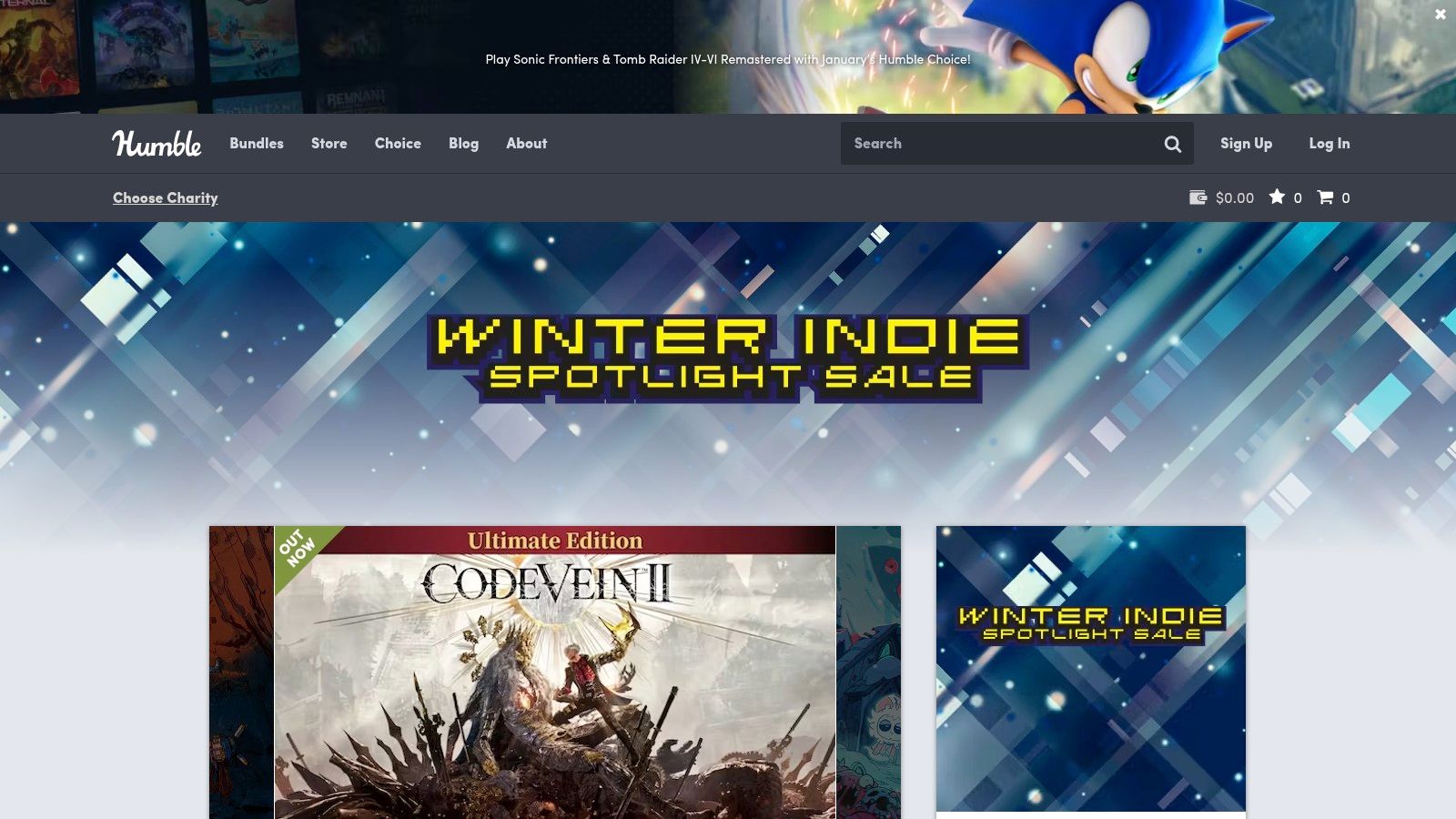
Humble is a digital PC game storefront renowned for its themed bundles, a-la-carte store, and the Humble Choice subscription service. It's a fantastic way to build a library of games without internet access affordably, as most titles are delivered as Steam keys, with many bundles also offering direct, DRM-free downloads. The platform's commitment to charity, where a portion of every purchase supports causes you choose, adds a feel-good element to stocking up on offline entertainment.
Why It’s a Go-To for Offline Gaming
The value proposition is Humble's key strength. Themed bundles often package several high-quality indie and AAA titles for a fraction of their individual costs, making it one of the most cost-effective ways to acquire a diverse offline gaming collection. The Humble Choice subscription gives members a batch of games to keep forever each month, many of which are single-player experiences perfect for offline play. This model is ideal for dads looking to explore new genres without a significant financial commitment.
Practical Tips and Considerations
While Humble is excellent, understanding its system is crucial for a smooth offline experience. The primary delivery method is via keys for platforms like Steam, which handles the download.
- Check for DRM-Free Options: When buying a bundle, look for the DRM-free icon. This means you can download the game files directly and store them on an external drive, completely independent of any launcher.
- Redeem and Pre-Install: If a game is a Steam key, redeem it and fully install it through the Steam client while you have internet. As with other platforms, launch it once online to complete any first-time setup.
- Monitor the Humble App: The Humble App provides access to the "Humble Games Collection," a rotating library of titles. Ensure any game you want to play offline from this collection is fully downloaded before you lose connectivity.
Website: https://www.humblebundle.com/store
Pros:
- Incredible value through bundles, building a large offline library cheaply.
- DRM-free download options offer true ownership and platform independence.
- Purchases support a wide range of charitable organizations.
Cons:
- Most games still require a third-party client like Steam.
- The "Humble Games Collection" content rotates, so access isn't permanent.
8. Nintendo eShop / My Nintendo Store
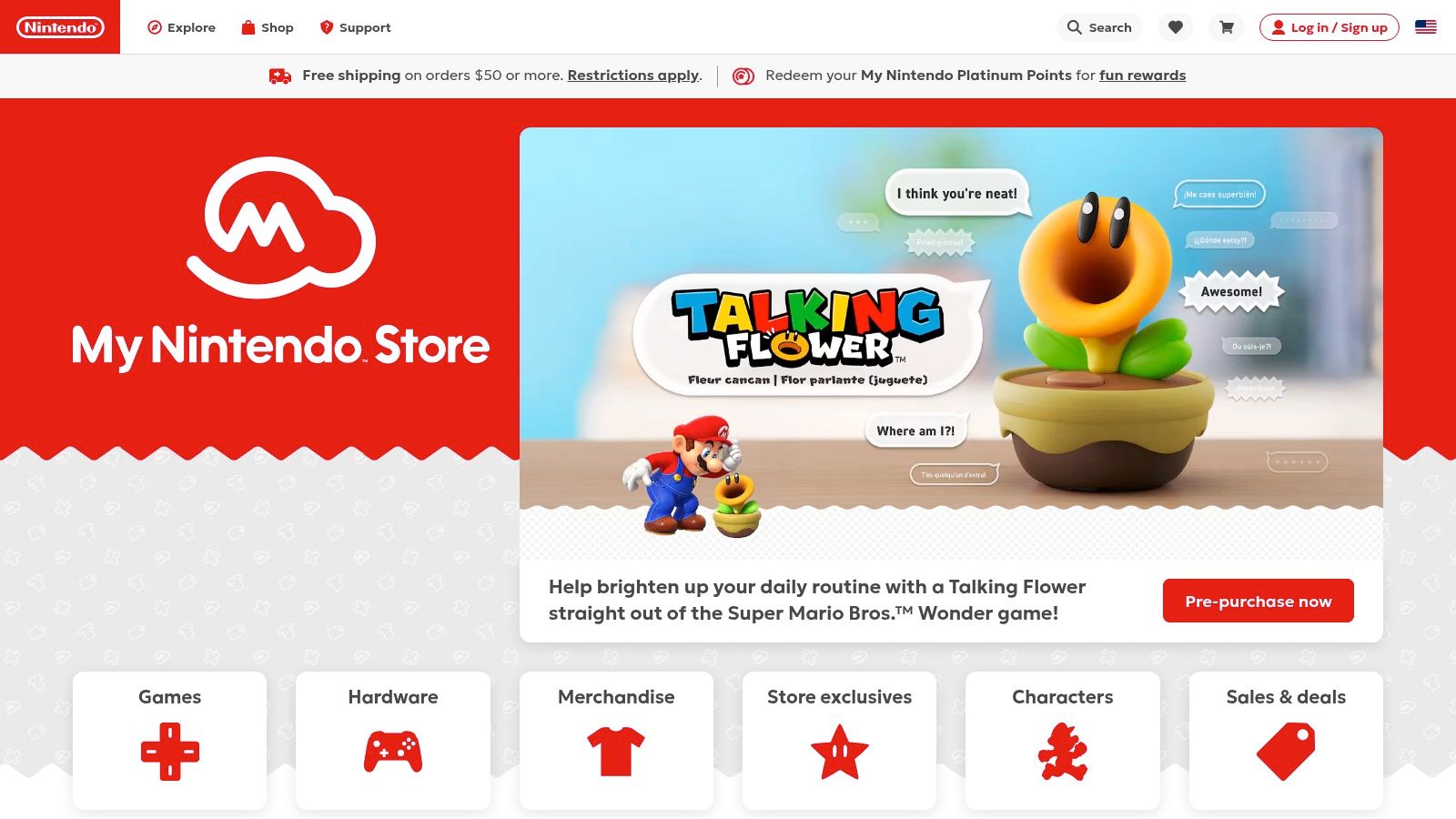
As the digital storefront for the Nintendo Switch, the eShop is a fantastic portal for securing games without internet access, perfectly suited for the console's portable nature. The Switch was designed for on-the-go gaming, making its library a prime destination for entertainment during flights, commutes, or family trips where Wi-Fi is unavailable. The ability to purchase games online via a browser and have them automatically download to your console makes planning for offline time incredibly convenient.
Why It’s a Go-To for Offline Gaming
The Nintendo Switch excels at offline single-player and local multiplayer experiences, making it an ideal family device. The joy of detaching the Joy-Cons for an impromptu two-player session of Mario Kart 8 Deluxe or diving into a massive single-player RPG like The Legend of Zelda: Tears of the Kingdom requires no internet connection. This focus on local play makes it a standout choice for engaging, shared screen time, which is a key component of many great father-son bonding activities.
Practical Tips and Considerations
Most purchased games work perfectly offline, but there are a few things to keep in mind to ensure a smooth, connection-free experience.
- Set Primary Console: Ensure the Switch you are taking with you is set as your account's "Primary Console." Non-primary consoles require a periodic online check to launch digital games.
- Download and Update: Always download the full game and any available software updates before you lose internet access.
- Check Game Requirements: A small number of games are "cloud versions" or require a constant connection. Always check the eShop page's details section for online requirements before purchasing.
Website: https://www.nintendo.com/store/
Pros:
- Vast library of high-quality single-player and local multiplayer games.
- Seamless off-device purchasing and automatic downloads to your console.
- The hardware is designed for portable, offline-first gameplay.
Cons:
- Cloud saves and online multiplayer features are inaccessible without Wi-Fi.
- Some titles require an initial online connection or are cloud-based.
9. PlayStation Store
As Sony's official digital marketplace for PlayStation 4 and PlayStation 5, the PlayStation Store is a premier destination for console gamers seeking high-quality single-player adventures. Its vast library includes everything from epic, narrative-driven exclusives to charming indie titles, nearly all of which can be configured as games without internet. This makes it an essential hub for setting up a console for offline entertainment, perfect for locations with unreliable Wi-Fi or for dedicated, distraction-free gaming sessions.

Why It’s a Go-To for Offline Gaming
The key to unlocking offline play on a PS5 is the "Console Sharing and Offline Play" feature. By designating a console as your primary system, all downloaded games become accessible to any user on that device, completely offline. This is an excellent setup for a family living room, ensuring that kids and other family members can enjoy the full library of purchased games without needing an active internet connection or having to log into a specific account.
Practical Tips and Considerations
Setting up your PlayStation for offline use is straightforward but requires some foresight. To ensure a seamless experience when the internet is down, follow these critical steps.
- Enable Primary Console Setting: On your PS5, navigate to Settings > Users and Accounts > Other > Console Sharing and Offline Play and select "Enable." This is the most important step.
- Download and Update Beforehand: Make sure all games and necessary updates are fully downloaded and installed while you are connected to the internet.
- Restore Licenses: If you encounter issues, use the "Restore Licenses" option in the settings menu while still online to re-verify your purchases before you disconnect.
Website: https://store.playstation.com
Pros:
- Straightforward setup allows a family PS5 to play offline.
- Frequent sales and a large catalog of single‑player titles.
- High-quality exclusive games renowned for offline story modes.
Cons:
- Only one PS5 can be set as primary at a time, limiting offline access on other consoles.
- Non-primary consoles may require periodic online checks to verify game licenses.
10. Microsoft Store / Xbox
Microsoft’s digital ecosystem, spanning Xbox consoles and Windows PCs, is a powerhouse for family entertainment and a fantastic resource for games without internet. The platform is built around a unified library, making it simple to access your purchased titles on the living room console or a gaming laptop. Key features are specifically designed to enable offline play, ensuring that a temporary internet outage or a family trip doesn't stop the fun.

Why It’s a Go-To for Offline Gaming
The "Home Xbox" setting is the cornerstone of its offline capabilities. By designating one console as your primary device, all licensed digital games become available to any user on that console without needing an internet connection to verify ownership. This is perfect for a family setup, allowing kids or other family members to play your entire digital library freely. For PC gamers, a similar "offline permissions" setting exists within the Microsoft Store app, enabling play on one designated device.
Practical Tips and Considerations
Setting up for offline play is straightforward but requires some foresight before you lose your connection. Both consoles and PCs need to be configured properly ahead of time to avoid any access issues.
- Set Your Home Xbox: On your main console, go to Settings > General > Personalization, and select My home Xbox. Make sure the box is checked.
- Enable PC Offline Permissions: On your Windows device, open the Microsoft Store app, go to Settings, and ensure Offline Permissions is turned on.
- Game Pass Requires Check-ins: While Xbox Game Pass offers a massive library, these games require a periodic online check-in (usually every 30 days) to keep playing them offline.
Website: https://www.xbox.com/games
Pros:
- "Home Xbox" feature is excellent for family sharing and offline access.
- Unified library across Xbox and Windows for many "Play Anywhere" titles.
- Game Pass provides an extensive catalog for a monthly fee.
Cons:
- Requires pre-configuration to enable offline play.
- Game Pass titles need periodic online validation to remain active.
11. Amazon (Physical video games, handhelds, and board/card games)
For completely analog and reliably offline entertainment, Amazon serves as a massive marketplace for physical media. It’s the go-to destination for console games, handheld devices, and an endless supply of board and card games, making it a perfect one-stop shop for parents preparing for travel or family game nights. From the latest Nintendo Switch cartridge to a classic deck of UNO, Amazon provides tangible games without internet requirements.

Why It’s a Go-To for Offline Gaming
Amazon’s strength is its sheer convenience and breadth of selection across different entertainment formats. The Prime shipping feature is a lifesaver for last-minute vacation planning, ensuring games arrive quickly. Furthermore, the extensive user reviews provide invaluable real-world feedback on a game's quality and replayability, helping you choose the best options for your family’s tastes without ever leaving home. This combination makes it an essential resource for stocking up on guaranteed offline fun.
Practical Tips and Considerations
Navigating Amazon effectively means paying attention to the details, especially regarding sellers and game requirements.
- Filter for 'Ships from and sold by Amazon': This ensures you are getting an authentic product with Amazon's reliable shipping and customer service policies, avoiding potential issues with third-party sellers.
- Check for "Day One" Patches: Even physical games sometimes require a significant initial download. Read product descriptions and recent reviews to see if an internet connection is needed for setup.
- Explore "Toys & Games": Don't just stick to the video games section. The board and card game categories are a goldmine for screen-free, interactive family entertainment.
Website: https://www.amazon.com
Pros:
- Massive selection of physical video games, board games, and handhelds.
- Fast and reliable Prime delivery for last-minute purchases.
- Extensive customer reviews offer valuable insights.
Cons:
- Marketplace listings from third-party sellers can vary in quality and reliability.
- Physical games may still require initial online updates or downloads to play.
12. Miniature Market
For those seeking truly unplugged games without internet, nothing beats a classic board game. Miniature Market is a leading U.S. online retailer specializing in tabletop games, making it a fantastic resource for stocking up on screen-free entertainment for family nights, travel, or any time connectivity is unavailable. The site offers a massive catalog of board games, card games, role-playing games, and miniatures that provide hours of engaging, offline fun.

Why It’s a Go-To for Offline Gaming
Miniature Market excels with its competitive pricing and deep selection, often featuring daily deals and clearance sales that make building a game library affordable. Its curated categories allow parents to easily find age-appropriate options, from simple kids' games to complex strategy titles for older teens and adults. This focus on physical games makes it a perfect destination for planning genuine offline family activities where the only connection needed is with each other.
Practical Tips and Considerations
Shopping for physical games online requires a different approach than digital downloads. Planning ahead is key to ensuring you have your games when you need them.
- Plan for Shipping: Always account for shipping time. Order well in advance of a trip or family event to ensure your games arrive on time.
- Check "Deal of the Day": The site features a daily deep discount on a specific game, which is a great way to discover new titles at a low price.
- Explore Categories: Use the site's filtering tools to narrow down choices by player count, age, and game type to find the perfect fit for your family. If you need inspiration, you can also explore our guide to the best family board games.
Website: https://www.miniaturemarket.com
Pros:
- Extensive selection of physical board and card games.
- Competitive pricing with frequent sales and daily deals.
- Curated categories simplify finding age-appropriate games.
Cons:
- Requires planning due to physical shipping times.
- International shipping can be restricted for certain product lines.
Offline Gaming: 12-Platform Comparison
| Platform | Core Features | Quality (★) | Value (💰) | Target (👥) | Standout (✨/🏆) |
|---|---|---|---|---|---|
| Google Play (Android) | Huge mobile catalog, Play Pass, family library | ★★★★ | 💰 Play Pass & frequent sales | 👥 Android users & families | ✨ Massive selection; easy installs 🏆 |
| Apple App Store + Apple Arcade | iOS/macOS/tvOS apps, Arcade (no ads/IAPs), iCloud sync | ★★★★★ | 💰 Apple Arcade family plan | 👥 Apple device owners & kids | ✨ Premium ad‑free Arcade; Family Sharing 🏆 |
| Steam (PC, Steam Deck) | Largest PC catalog, Offline Mode, community guides | ★★★★★ | 💰 Deep discounts & seasonal sales | 👥 PC gamers & Steam Deck users | ✨ Steam Deck support; strong discovery 🏆 |
| GOG.com | DRM‑free downloads, offline installers, classics preservation | ★★★★ | 💰 True ownership; fair prices | 👥 Retro/ownership‑focused PC users | ✨ DRM‑free library & preservation 🏆 |
| Epic Games Store | Launcher, weekly free games, exclusives, cloud saves | ★★★★ | 💰 Regular free titles & promos | 👥 Value seekers & casual PC gamers | ✨ Weekly giveaways; easy client |
| itch.io | Indie marketplace, DRM‑light downloads, pay‑what‑you‑want | ★★★ | 💰 Many free/low‑cost games | 👥 Indie fans, experimental gamers | ✨ Creator‑friendly, unique short games |
| Humble (Store & Choice) | Sells keys, DRM‑free sometimes, Choice subscription, charity | ★★★★ | 💰 Bundles + Choice keep‑forever games | 👥 Value/charity‑minded buyers | ✨ Charity support & bundle value |
| Nintendo eShop / My Nintendo | Switch digital store, off‑device purchases, preloads | ★★★★★ | 💰 Full‑price first‑party; good travel value | 👥 Switch owners & families | ✨ Most Switch games playable offline 🏆 |
| PlayStation Store | PS5/PS4 digital purchases, Console Sharing offline play | ★★★★ | 💰 Frequent sales & PS+ benefits | 👥 PlayStation households | ✨ Primary console offline access |
| Microsoft Store / Xbox | Home Xbox, Game Pass, Windows app integration | ★★★★ | 💰 Game Pass breadth (needs checks) | 👥 Xbox families & PC/Xbox hybrid users | ✨ Game Pass catalog; Home Xbox setup |
| Amazon (physical games & board games) | Physical games, fast Prime shipping, reviews | ★★★★ | 💰 Competitive pricing + Prime shipping | 👥 Parents buying physical/offline games | ✨ One‑stop shop for consoles & board games |
| Miniature Market | Board games, RPGs, minis, curated promos | ★★★★ | 💰 Frequent discounts & promos | 👥 Tabletop families & hobbyists | ✨ Deep tabletop selection & curated picks |
The Alpha Dad's Final Checklist for Offline Play
We've explored a dozen powerful platforms, from the mobile convenience of the Apple App Store and Google Play to the massive PC libraries on Steam and GOG.com. Each resource offers a unique gateway to a world of entertainment, proving that you don't need a constant connection to have an incredible gaming experience. The core lesson is clear: a little preparation goes a long way in transforming a potential dead zone of boredom into a memorable opportunity for fun, whether you're playing solo or connecting with your kids.
The digital storefronts we covered are more than just shops; they are ecosystems. Understanding their offline capabilities is the key to mastering your digital library. Steam's Offline Mode, GOG's DRM-free philosophy, and the curated, all-you-can-play nature of Apple Arcade are strategic tools in your parenting toolkit. By leveraging these features, you ensure that your carefully selected games without internet are ready to launch at a moment's notice.
Your Final Pre-Flight Systems Check
Before you find yourself on a long flight, in a remote cabin, or simply in an area with spotty Wi-Fi, run through this quick mental checklist. Think of it as the final step in securing your family's entertainment, ensuring you’re the hero of any low-connectivity scenario. A few minutes of prep now prevents hours of frustration later.
- The Pre-Launch Protocol: Have you opened every new game at least once while connected to the internet? This simple action often triggers essential first-time setups, downloads patches, and confirms licensing, preventing "connection required" errors when you're already offline.
- Update and Verify: Are all your games and system software fully updated? An unexpected update prompt can render a game unplayable. Check for updates a day or two before you travel.
- Enable Offline Modes: This is a critical step. On PC, have you tested Steam's Offline Mode? For consoles, have you designated your device as the "Primary PS4/PS5" or "Home Xbox"? This allows any profile on the console to access your digital games without an internet check-in.
- Charge Everything: It sounds obvious, but it's the most common point of failure. Ensure all devices-from your phone and tablet to your Switch and laptop-are fully charged. Don't forget portable power banks for extended trips.
- Pack the Peripherals: Have you packed the necessary controllers, charging cables, and headphones? For local multiplayer on the go, having that extra Joy-Con or a portable controller can be a game-changer.
Choosing the Right Platform for Your Mission
The right tool depends entirely on your situation. A cross-country flight with a toddler demands a different arsenal than a weekend camping trip with older kids.
- For Quick, Spontaneous Fun (Airports, Waiting Rooms): Mobile platforms like Google Play and Apple Arcade are your best bet. Their vast libraries of pick-up-and-play titles are perfect for short bursts of engagement.
- For Deep, Immersive Storytelling (Long Trips, Quiet Evenings): PC platforms like Steam, GOG.com, and the Epic Games Store excel here. They offer sprawling RPGs and complex strategy games that can fill dozens of hours.
- For Shared Family Experiences (Vacation Rentals, Family Gatherings): The Nintendo Switch is the undisputed champion of local multiplayer. Its design is fundamentally built for easy, shared-screen fun anywhere you go.
- For The Tactile and Traditional: Don't forget physical media from Amazon or board games from Miniature Market. These options are 100% reliable, require no batteries, and offer a different kind of valuable, screen-free connection.
Ultimately, curating a robust library of games without internet is an act of foresight. It's about anticipating needs and preparing solutions, a core tenet of modern fatherhood. By using these platforms strategically, you're not just downloading games; you're building a reliable, versatile, and connection-proof entertainment system for your family. You're ready for anything.
Mastering your digital life is just one part of being a prepared, present father. At alphadadmode.com, we are building a complete resource hub dedicated to helping modern dads navigate technology, gear, and personal growth. Sign up for our launch list at alphadadmode.com to get exclusive content and be the first to know when we go live.
